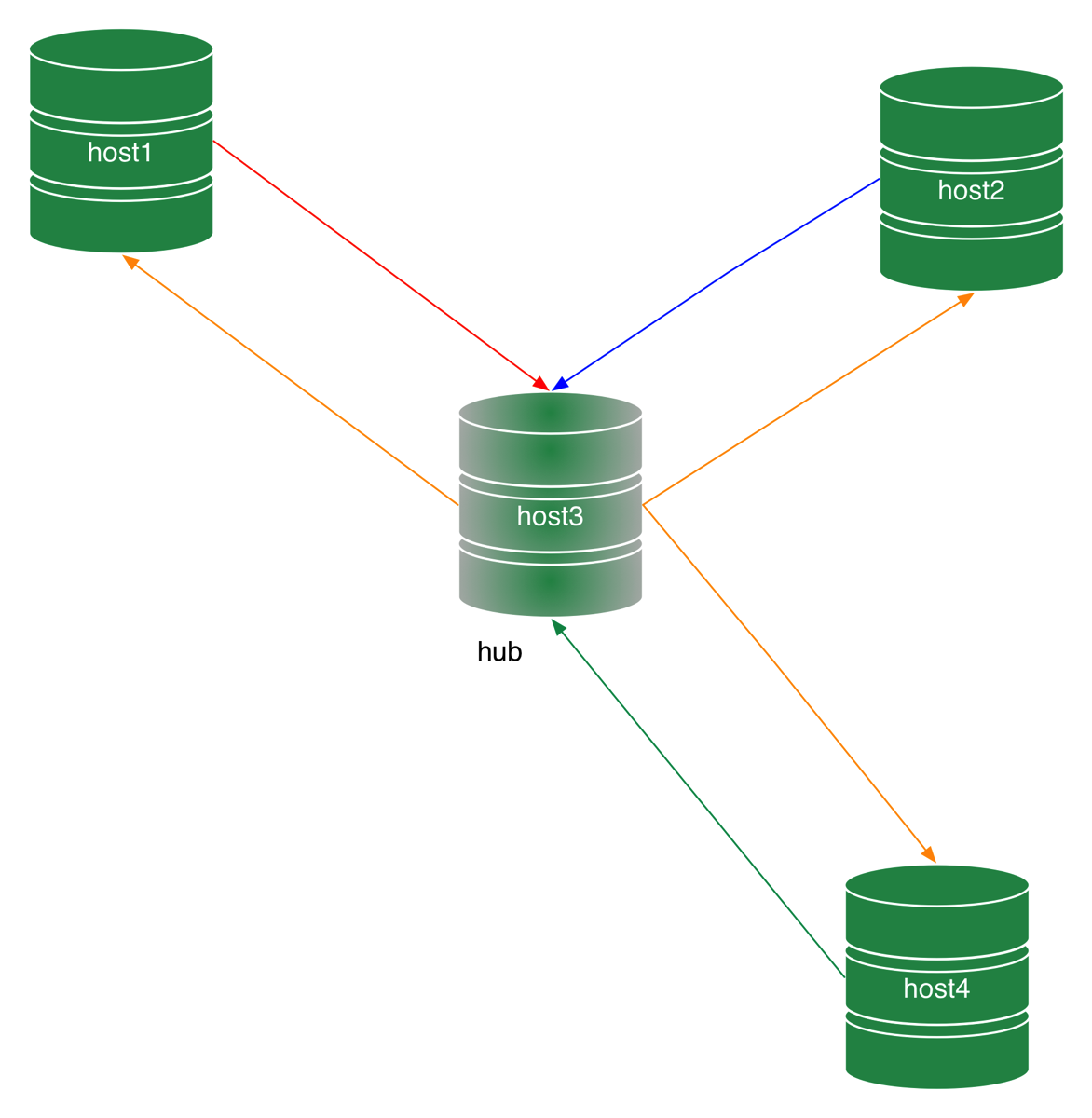
Figure 1 - Employees database
This database is interesting because it is not too small (like Sakila) and not too big. It has enough data to allow you to test in a non trivial way.
Data seem sometimes to have their own life and will, and they refuse to behave as we wish.
Then, you need a firm hand to tame the wild data and turn them into quiet and obeying pets.
It had been in the making for long time. Google announced that Google Code would be closing, and since then the Continuent team has been hard at work to handle the transition. You can guess it: this operation would have been quicker if it had been done by a small company like we were one year ago, but being part of a large corporation introduces some constraints that have affected our schedule.
However, our wish has always been, and still is, to keep Tungsten Replicator as an open source product, with full functionalities and with the full benefits that the open source development model offers.
Today, Tungsten Replicator is available on GitHub as vmware/tungsten-replicator, and it is wearing new clothes. It is not GPL anymore. In an effort to facilitate contributions, its license was changed to Apache 2.0.
Feature-wise, there is little difference from the previous release of 4.0. Mainly, we have cleaned up the code and moved out the pieces that no longer fit:
Although it has changed location and license, this is not a "release." If you compile the code, it will come up as 4.1, but it is still work in progress. Same as what was happening in the previous repository, we tag the code with the next version, and start working on it until it is deemed ready for release. The latest release for production (4.0.1) is still available from the old directory.
The code is available on GitHub, which makes collaboration much simpler than the previous repository. Take advantage of it: fork it, and help make the best replication tool even better!

mysql [localhost] {msandbox} (information_schema) > select @@version;
+-----------+
| @@version |
+-----------+
| 5.7.8-rc |
+-----------+
1 row in set (0.00 sec)
mysql [localhost] {msandbox} (information_schema) > select * from GLOBAL_STATUS;
Empty set, 1 warning (0.00 sec)
mysql [localhost] {msandbox} (information_schema) > show warnings\G
*************************** 1. row ***************************
Level: Warning
Code: 1287
Message: 'INFORMATION_SCHEMA.GLOBAL_STATUS' is deprecated and will be removed in
a future release. Please use performance_schema.global_status instead
1 row in set (0.00 sec)
slave1 [localhost] {msandbox} ((none)) > show slave status\G
[...]
Last_IO_Errno: 1142
Last_IO_Error: The slave I/O thread stops because a fatal error is encountered when it try to get the value of SERVER_ID variable from master. Error: SELECT command denied to user 'rsandbox'@'localhost' for table 'global_variables'
Maintaining a project like MySQL::Sandbox is sometimes tiring, but it has its advantages. One of them is that everything related to the server setup comes to my attention rather earlier than if I were an average DBA or developer.
I try to keep MySQL Sandbox up to date with every release of MySQL and (to a lesser extent) MariaDB [1]. For this reason, I am used to trying a new release with MySQL Sandbox, and … seeing it fail.
Of the latest changes in MySQL, probably the most disruptive was what happened in MySQL 5.7.6, where the mysql.user table lost the password column.
Yep. No ‘password’ column anymore. And just to make the setup procedure harder, the syntax of SET PASSWORD was changed, and deprecated.
Previously, I could run:
mysql [localhost] {msandbox} (mysql) > select version();
+-----------+
| version() |
+-----------+
| 5.6.25 |
+-----------+
1 row in set (0.00 sec)
mysql [localhost] {msandbox} (mysql) > select host,user,password from user;
+-----------+-------------+-------------------------------------------+
| host | user | password |
+-----------+-------------+-------------------------------------------+
| localhost | root | *6C387FC3893DBA1E3BA155E74754DA6682D04747 |
| 127.% | msandbox | *6C387FC3893DBA1E3BA155E74754DA6682D04747 |
| localhost | msandbox | *6C387FC3893DBA1E3BA155E74754DA6682D04747 |
| localhost | msandbox_rw | *6C387FC3893DBA1E3BA155E74754DA6682D04747 |
| 127.% | msandbox_rw | *6C387FC3893DBA1E3BA155E74754DA6682D04747 |
| 127.% | msandbox_ro | *6C387FC3893DBA1E3BA155E74754DA6682D04747 |
| localhost | msandbox_ro | *6C387FC3893DBA1E3BA155E74754DA6682D04747 |
| 127.% | rsandbox | *B07EB15A2E7BD9620DAE47B194D5B9DBA14377AD |
+-----------+-------------+-------------------------------------------+
8 rows in set (0.00 sec)
In the latest releases, though, this fails.
mysql [localhost] {msandbox} (mysql) > select version();
+-----------+
| version() |
+-----------+
| 5.7.8-rc |
+-----------+
1 row in set (0.00 sec)
mysql [localhost] {msandbox} (mysql) > select host,user,password from user;
ERROR 1054 (42S22): Unknown column 'password' in 'field list'
Instead of a password column (which was CHAR(41)), we have now an authentication_string column of type TEXT.
+-----------+-------------+-------------------------------------------+
| host | user | authentication_string |
+-----------+-------------+-------------------------------------------+
| localhost | root | *6C387FC3893DBA1E3BA155E74754DA6682D04747 |
| 127.% | msandbox | *6C387FC3893DBA1E3BA155E74754DA6682D04747 |
| localhost | msandbox | *6C387FC3893DBA1E3BA155E74754DA6682D04747 |
| localhost | msandbox_rw | *6C387FC3893DBA1E3BA155E74754DA6682D04747 |
| 127.% | msandbox_rw | *6C387FC3893DBA1E3BA155E74754DA6682D04747 |
| 127.% | msandbox_ro | *6C387FC3893DBA1E3BA155E74754DA6682D04747 |
| localhost | msandbox_ro | *6C387FC3893DBA1E3BA155E74754DA6682D04747 |
| 127.% | rsandbox | *B07EB15A2E7BD9620DAE47B194D5B9DBA14377AD |
+-----------+-------------+-------------------------------------------+
Fixing MySQL Sandbox to handle this issue and to be at the same time compatible with previous releases was quite challenging, but in the end I did it. Recent versions of the sandbox can handle all the releases from Oracle, Percona, and MariaDB without showing hiccups.
So, for testing, the issue is solved. Now comes the hard part: when thousands of database administration procedures will break down for lack of the password column. To all the DBAs and database developers out there: good luck!
It is my pleasure to disclose that MariaDB 10.1 runs in MySQL Sandbox 3.0.55+, with only minimal changes. ↩
Both MySQL and MariaDB have been busy, each introducing new features, sometimes creating the same feature, often with different syntax.
This is sometimes good for users, who have a wide choice. And sometimes it is bad, as once you are used to the deployment and syntax of one flavor, it is hard to switch to a different one. This problem is enhanced if you are dealing with an application, MySQL Sandbox, that needs to work well with all flavors.
The latest releases of MySQL Sandbox (3.0.51 to 3.0.55) have been necessary to solve minor and major troublesome points with MySQL 5.7.8 and MariaDB 10.1.
The current version (3.0.55) can install all the newest releases, including replication with MySQL 5.7.8 which suffers from a compatibility bug (better explored in a separate article).
To make like easier for testers of newest versions, all replication deployments through MySQL Sandbox now include a test_replication script, which ensures that replication is working correctly. The new release also includes more tarball pattern tests, to check that known name patterns are recognized. In all, MySQL Sandbox has now about 100 tests more than before. Every time I release a new version, I run the suite with 10 or 12 versions of MySQL, Percona Server, MariaDB, for a grand total of about 5,000 tests.
And speaking of tests, there are features that require more attention than just installing a group of sandboxes, and are not easy to incorporate into MySQL Sandbox tools. For this reason, I have published on GitHub the sample scripts that I use to demonstrate multi-source replication for MySQL 5.7 and MariaDB 10. Since I was at it, I have also published the examples used for Pivot tables demos.
Today Oracle released MySQL 5.7.6 milestone 16. With this, MySQL 5.7 has been in development for over 2 years.
Compared to MySQL 5.6, the changes are quite extensive. The main effort of the team has been focused on speed, with performance reportedly improved from 2 to 3 times compared to previous releases.
A full list of what is new would take too much space here, but I would like to mention some key points:
In this article, I will cover the biggest changes during installation.
In MySQL 5.6, mysql_install_db has an option for the generation of a random password during database creation. The process is unfriendly to scripting but it is a step in the direction of ending the long time practice of creating a root user without a password.
In MySQL 5.7.4, there was a further change, with the random password generation becoming the default, with the possibility of skipping the creation with the option –skip-random-password.
In MySQL 5.7.5, the default was confirmed, but the option was changed to –insecure.
And now, in MySQL 5.7.6, the crackdown on old practices continues: mysql_install_db is deprecated, and replaced with mysqld –initialize (formerly known as “mysqld –bootstrap,” now deprecated.)
Here’s a test run:
$ ~/opt/mysql/5.7.6/bin/mysqld --no-defaults --basedir=~/opt/mysql/5.7.6/ --datadir=$PWD/data --initialize
2015-03-09T05:06:37.159659Z 0 [Warning] TIMESTAMP with implicit DEFAULT value is deprecated. Please use --explicit_defaults_for_timestamp server option (see documentation for more details).
2015-03-09T05:06:37.355155Z 0 [Warning] InnoDB: New log files created, LSN=45790
2015-03-09T05:06:37.410118Z 0 [Warning] InnoDB: Creating foreign key constraint system tables.
2015-03-09T05:06:37.467002Z 0 [Warning] Failed to setup SSL
2015-03-09T05:06:37.467029Z 0 [Warning] SSL error: SSL context is not usable without certificate and private key
2015-03-09T05:06:37.468142Z 1 [Warning] A temporary password is generated for root@localhost: f<jqhdJ(A5p#
Compared to the previous versions, the most notable difference is that there is no .mysql_secret file, but a simple line on the screen mentioning the temporary password.
But there is one, more important behavioral difference: this command works only once. When using mysql_install_db, you could run the same command even if the data directory existed, where the script would re-apply the data creation commands. Using mysqld –initialize, you can only run on a non-existing data directory.
$ ~/opt/mysql/5.7.6/bin/mysqld --no-defaults --basedir=~/opt/mysql/5.7.6/ --datadir=$PWD/data --initialize
2015-03-09T05:49:12.504413Z 0 [Warning] TIMESTAMP with implicit DEFAULT value is deprecated. Please use --explicit_defaults_for_timestamp server option (see documentation for more details).
2015-03-09T05:49:12.505398Z 0 [ERROR] --initialize specified but the data directory exists. Aborting.
2015-03-09T05:49:12.505422Z 0 [ERROR] Aborting
Using the newly created database is a bit more trickier than before:
$ ~/opt/mysql/5.7.6/bin/mysql --no-defaults -u root -p
Enter password:
Welcome to the MySQL monitor. Commands end with ; or \g.
Your MySQL connection id is 2
Server version: 5.7.6-m16
Copyright (c) 2000, 2015, Oracle and/or its affiliates. All rights reserved.
Oracle is a registered trademark of Oracle Corporation and/or its
affiliates. Other names may be trademarks of their respective
owners.
Type 'help;' or '\h' for help. Type '\c' to clear the current input statement.
mysql> use mysql
ERROR 1820 (HY000): You must SET PASSWORD before executing this statement
mysql> set password=password('test');
ERROR 1064 (42000): You have an error in your SQL syntax; check the manual that corresponds to your MySQL server version for the right syntax to use near 'password('test')' at line 1
Uh? What’s this? This command used to work until recently. The reason is a change in the syntax of SET PASSWORD, which now accepts a plain text argument:
mysql> set password='test';
Query OK, 0 rows affected (0.00 sec)
The old syntax was meant to be only deprecated, but it was accidentally completely removed. This will be hopefully fixed in MySQL 5.7.7.
More changes involve the use of GRANT, REVOKE, CREATE USER, and ALTER USER, which now are more strict. You get warnings if you try to create users with the GRANT command, or when mixing granting of privileges with authentication options.
mysql> grant all on test.* to testuser identified by 'test';
Query OK, 0 rows affected, 1 warning (0.00 sec)
Warning (Code 1287): Using GRANT for creating new user is deprecated and will be removed in future release. Create new user with CREATE USER statement.
mysql> grant all on *.* to testuser identified by 'test';
Query OK, 0 rows affected, 1 warning (0.00 sec)
Warning (Code 1287): Using GRANT statement to modify existing user's properties other than privileges is deprecated and will be removed in future release. Use ALTER USER statement for this operation.
In short, if you have automated scripts that deal with installing and administering MySQL, you should test them with warnings enabled, and be prepared for broken compatibility with your old practice.
One such ‘old practice’ scripts that is broken by the new syntax changes is MySQL-Sandbox. I have just released an updated version (MySQL Sandbox 3.0.48) with a workaround for MySQL 5.7.6 changed SET PASSWORD syntax.
BTW, did I mention that the password field in the mysql.user table was removed? That’s another surprise that may break quite a lot of existing tests:
mysql> use mysql
Database changed
mysql> select host,user,password from user;
ERROR 1054 (42S22): Unknown column 'password' in 'field list'
mysql> select host, user, authentication_string from user;
+-----------+-------------+-------------------------------------------+
| host | user | authentication_string |
+-----------+-------------+-------------------------------------------+
| localhost | root | *6C387FC3893DBA1E3BA155E74754DA6682D04747 |
| 127.% | msandbox | *6C387FC3893DBA1E3BA155E74754DA6682D04747 |
| localhost | msandbox | *6C387FC3893DBA1E3BA155E74754DA6682D04747 |
| localhost | msandbox_rw | *6C387FC3893DBA1E3BA155E74754DA6682D04747 |
| 127.% | msandbox_rw | *6C387FC3893DBA1E3BA155E74754DA6682D04747 |
| 127.% | msandbox_ro | *6C387FC3893DBA1E3BA155E74754DA6682D04747 |
| localhost | msandbox_ro | *6C387FC3893DBA1E3BA155E74754DA6682D04747 |
| 127.% | rsandbox | *B07EB15A2E7BD9620DAE47B194D5B9DBA14377AD |
| % | testuser | *94BDCEBE19083CE2A1F959FD02F964C7AF4CFC29 |
+-----------+-------------+-------------------------------------------+
9 rows in set (0.00 sec)
Using MySQL Sandbox I can install multiple instances of MySQL. It is not uncommon for me to run 5 or 6 instances at once, and in some occasions, I get to have even 10 of them. It is usually not a problem. But today I had an issue while testing MariaDB, for which I needed 5 instances, and I the installation failed after the 4th one. To make sure that the host could run that many servers, I tried installing 10 instances of MySQL 5.6 and 5.7. All at once, for a grand total of 20 instances:
$ make_multiple_sandbox --how_many_nodes=10 5.6.14
installing node 1
installing node 2
installing node 3
installing node 4
installing node 5
installing node 6
installing node 7
installing node 8
installing node 9
installing node 10
group directory installed in $HOME/sandboxes/multi_msb_5_6_14
$ make_multiple_sandbox --how_many_nodes=10 5.7.4
installing node 1
installing node 2
installing node 3
installing node 4
installing node 5
installing node 6
installing node 7
installing node 8
installing node 9
installing node 10
group directory installed in $HOME/sandboxes/multi_msb_5_7_4
$ ~/sandboxes/use_all 'select @@port, @@version'
# server: 1:
@@port @@version
14015 5.6.14-log
# server: 2:
@@port @@version
14016 5.6.14-log
# server: 3:
@@port @@version
14017 5.6.14-log
# server: 4:
@@port @@version
14018 5.6.14-log
# server: 5:
@@port @@version
14019 5.6.14-log
# server: 6:
@@port @@version
14020 5.6.14-log
# server: 7:
@@port @@version
14021 5.6.14-log
# server: 8:
@@port @@version
14022 5.6.14-log
# server: 9:
@@port @@version
14023 5.6.14-log
# server: 10:
@@port @@version
14024 5.6.14-log
# server: 1:
@@port @@version
7975 5.7.4-m14-log
# server: 2:
@@port @@version
7976 5.7.4-m14-log
# server: 3:
@@port @@version
7977 5.7.4-m14-log
# server: 4:
@@port @@version
7978 5.7.4-m14-log
# server: 5:
@@port @@version
7979 5.7.4-m14-log
# server: 6:
@@port @@version
7980 5.7.4-m14-log
# server: 7:
@@port @@version
7981 5.7.4-m14-log
# server: 8:
@@port @@version
7982 5.7.4-m14-log
# server: 9:
@@port @@version
7983 5.7.4-m14-log
# server: 10:
@@port @@version
7984 5.7.4-m14-log
This worked fine. Then I removed all the instances, and tried again with MariaDB
$ sbtool -o delete -s ~/sandboxes/multi_msb_5_6_14/
...
$ sbtool -o delete -s ~/sandboxes/multi_msb_5_7_4/
...
With MariaDB 10, the installation failed after the 4th node.
$ make_multiple_sandbox --how_many_nodes=10 10.0.11
installing node 1
installing node 2
installing node 3
installing node 4
error while creating grant tables
Installing MariaDB/MySQL system tables in '/home/tungsten/sandboxes/multi_msb_10_0_11/node4/data' ...
140604 8:27:14 [Note] InnoDB: Using mutexes to ref count buffer pool pages
140604 8:27:14 [Note] InnoDB: The InnoDB memory heap is disabled
140604 8:27:14 [Note] InnoDB: Mutexes and rw_locks use GCC atomic builtins
140604 8:27:14 [Note] InnoDB: Compressed tables use zlib 1.2.3
140604 8:27:14 [Note] InnoDB: Using Linux native AIO
140604 8:27:14 [Note] InnoDB: Using CPU crc32 instructions
2014-06-04 08:27:14 7f207d353780 InnoDB: Warning: io_setup() failed with EAGAIN. Will make 5 attempts before giving up.
InnoDB: Warning: io_setup() attempt 1 failed.
InnoDB: Warning: io_setup() attempt 2 failed.
InnoDB: Warning: io_setup() attempt 3 failed.
InnoDB: Warning: io_setup() attempt 4 failed.
InnoDB: Warning: io_setup() attempt 5 failed.
2014-06-04 08:27:16 7f207d353780 InnoDB: Error: io_setup() failed with EAGAIN after 5 attempts.
InnoDB: You can disable Linux Native AIO by setting innodb_use_native_aio = 0 in my.cnf
InnoDB: Warning: Linux Native AIO disabled because os_aio_linux_create_io_ctx() failed. To get rid of this warning you can try increasing system fs.aio-max-nr to 1048576 or larger or setting innodb_use_native_aio = 0 in my.cnf
140604 8:27:16 [Note] InnoDB: Initializing buffer pool, size = 128.0M
140604 8:27:16 [Note] InnoDB: Completed initialization of buffer pool
140604 8:27:16 [Note] InnoDB: The first specified data file ./ibdata1 did not exist: a new database to be created!
140604 8:27:16 [Note] InnoDB: Setting file ./ibdata1 size to 12 MB
140604 8:27:16 [Note] InnoDB: Database physically writes the file full: wait...
140604 8:27:16 [Note] InnoDB: Setting log file ./ib_logfile101 size to 48 MB
140604 8:27:17 [Note] InnoDB: Setting log file ./ib_logfile1 size to 48 MB
140604 8:27:18 [Note] InnoDB: Renaming log file ./ib_logfile101 to ./ib_logfile0
140604 8:27:18 [Warning] InnoDB: New log files created, LSN=45781
140604 8:27:18 [Note] InnoDB: Doublewrite buffer not found: creating new
140604 8:27:18 [Note] InnoDB: Doublewrite buffer created
140604 8:27:18 [Note] InnoDB: 128 rollback segment(s) are active.
140604 8:27:19 [Warning] InnoDB: Creating foreign key constraint system tables.
140604 8:27:19 [Note] InnoDB: Foreign key constraint system tables created
140604 8:27:19 [Note] InnoDB: Creating tablespace and datafile system tables.
140604 8:27:19 [Note] InnoDB: Tablespace and datafile system tables created.
140604 8:27:19 [Note] InnoDB: Waiting for purge to start
140604 8:27:19 [Note] InnoDB: Percona XtraDB (http://www.percona.com) 5.6.17-65.0 started; log sequence number 0
140604 8:27:24 [Note] InnoDB: FTS optimize thread exiting.
140604 8:27:24 [Note] InnoDB: Starting shutdown...
140604 8:27:25 [Note] InnoDB: Shutdown completed; log sequence number 1616697
OK
Filling help tables...
140604 8:27:25 [Note] InnoDB: Using mutexes to ref count buffer pool pages
140604 8:27:25 [Note] InnoDB: The InnoDB memory heap is disabled
140604 8:27:25 [Note] InnoDB: Mutexes and rw_locks use GCC atomic builtins
140604 8:27:25 [Note] InnoDB: Compressed tables use zlib 1.2.3
140604 8:27:25 [Note] InnoDB: Using Linux native AIO
140604 8:27:25 [Note] InnoDB: Using CPU crc32 instructions
2014-06-04 08:27:25 7f12bb0e9780 InnoDB: Warning: io_setup() failed with EAGAIN. Will make 5 attempts before giving up.
InnoDB: Warning: io_setup() attempt 1 failed.
InnoDB: Warning: io_setup() attempt 2 failed.
InnoDB: Warning: io_setup() attempt 3 failed.
InnoDB: Warning: io_setup() attempt 4 failed.
InnoDB: Warning: io_setup() attempt 5 failed.
2014-06-04 08:27:28 7f12bb0e9780 InnoDB: Error: io_setup() failed with EAGAIN after 5 attempts.
InnoDB: You can disable Linux Native AIO by setting innodb_use_native_aio = 0 in my.cnf
InnoDB: Warning: Linux Native AIO disabled because os_aio_linux_create_io_ctx() failed. To get rid of this warning you can try increasing system fs.aio-max-nr to 1048576 or larger or setting innodb_use_native_aio = 0 in my.cnf
140604 8:27:28 [Note] InnoDB: Initializing buffer pool, size = 128.0M
140604 8:27:28 [Note] InnoDB: Completed initialization of buffer pool
140604 8:27:28 [Note] InnoDB: Highest supported file format is Barracuda.
140604 8:27:28 [Note] InnoDB: 128 rollback segment(s) are active.
140604 8:27:28 [Note] InnoDB: Waiting for purge to start
140604 8:27:28 [Note] InnoDB: Percona XtraDB (http://www.percona.com) 5.6.17-65.0 started; log sequence number 1616697
140604 8:27:28 [Note] InnoDB: FTS optimize thread exiting.
140604 8:27:28 [Note] InnoDB: Starting shutdown...
140604 8:27:30 [Note] InnoDB: Shutdown completed; log sequence number 1616707
This smells like a bug. BTW, the installation fails with both MariaDB 10.0.10 and 10.0.11, and only on Ubuntu Linux. I can install 10 instances just fine on Mac OSX. I haven’t tried with CentOS.