Thursday, September 30, 2010

A funny recipe.

According to a recent book about MySQL, this is the recipe to convert an IP address into an integer, with the purpose of using it as server-ID.
  1. Take for example 10.0.159.22
  2. Using a calculator (!!!), convert each of the four numbers to hexadecimal (you get 0a.00.9f.16)
  3. Then glue the four hexadecimal numbers together, after removing the dots, and, again with the calculator, convert them to decimal (0a009f16HEX=167812886DEC)
  4. Use this number (167812886) as your server ID in the options file.
Brilliant, eh?

Had the authors searched the MySQL manual for "IP address", they would have found the INET_ATON function, which can be used like this:
select inet_aton('10.0.159.22');
+--------------------------+
| inet_aton('10.0.159.22') |
+--------------------------+
|                167812886 |
+--------------------------+

Update.
Of course, if you want to ignore INET_ATON and avoid using a calculator, you can still leverage the server to do something like this:

delimiter //
drop function if exists redundant_inet_aton //
create function redundant_inet_aton(IP varchar(16))
returns bigint
deterministic
begin
    return conv( 
      concat(
        lpad(hex(substring_index(IP, '.', 1)+0),2,'0'),
        lpad(hex(substring_index(
                    substring_index(IP, '.', 2),
                 '.', -1) +0 ),2,'0'), 
        lpad(hex(substring_index(
                    substring_index(IP, '.', 3),
                 '.', -1) +0 ),2,'0'),
        lpad(hex(substring_index(IP, '.', -1) +0),2,'0') 
      ), 
        16,10);
end //
#
# Probably good for an obfuscated code contest
#
delimiter ;

#
# testing the new function
#
select IP, redundant_inet_aton(IP), inet_aton(IP)
    from (
               SELECT '10.0.159.22' AS IP 
        UNION  SELECT '192.168.2.6' 
        UNION  SELECT '127.0.0.1' 
        UNION  SELECT '10.176.1.15' 
        UNION  SELECT '173.194.36.104' 
    ) as t;
+----------------+-------------------------+---------------+
| IP             | redundant_inet_aton(IP) | inet_aton(IP) |
+----------------+-------------------------+---------------+
| 10.0.159.22    |               167812886 |     167812886 |
| 192.168.2.6    |              3232236038 |    3232236038 |
| 127.0.0.1      |              2130706433 |    2130706433 |
| 10.176.1.15    |               179306767 |     179306767 |
| 173.194.36.104 |              2915181672 |    2915181672 |
+----------------+-------------------------+---------------+

Thursday, September 23, 2010

Book review : SQL Antipatterns

SQL Antipatterns, by Bill Karwin


I remember that when I finished reading The Lord Of The Rings, I felt a pang of disappointment. "What? Already finished? What am I going to read now? What can give me the same pleasure and sense of accomplishment that these wonderful pages have given me?"
That's how I felt when I came to the last page of SQL Antipatterns. And, no, Bill Karwin doesn't tell imaginary tales from a fictitious world. This book is full of very real and very practical advice, but all the material is presented with such grace and verve that I could not put it down until the very end. I read it cover to cover in just a few hours, and I savored every page.

What is this Antipatterns, anyway? The title may deceive a casual bookshop browser into believing that it's about some philosophical database theory. Digging further, you realize that it's a collection of best practice in database handling, but told from the side of the bad practice. Every chapter starts with the story of a disaster, followed by an explanation of why it happened, and how to recognize the symptoms. Along the way, you learn what people do to fix the problem when they don't understand where exactly the trouble comes from. And then comes the best practice section, where you are told of several ways of fixing the problem for good.
It's a pleasure from the start. When I read the introductory stories, I recognized mistakes that I have witnessed in my past experience and some that I made myself. It was a fascinating sequence of "look at this mess!", "Here is what you shouldn't do", "It happens when ...", and "this is what you should do".
The more I read, the more I wanted to read. And after a few chapters, a pattern appeared among the Antipatterns. The stories are not a casual collection of database mistakes. There is a thread. Most of the stories tell you what happens when you violate the relational theory principles, and the best practice solutions focus on how to apply relational principles in real life.
The relationship between the horror stories and the relational database theory becomes apparent when you get to the appendix. In other books, you can often skip the appendixes as a reminder of something that you know already. Not here. If you skip this one, you will miss a sort of Ellery Queen ending, where the detective puts together all the pieces of the mystery for the amazed audience.

I feel I would do a disservice to Bill if I revealed more about the book. I may have already spoiled some of the surprise by disclosing the inner structure of the book. But certainly I won't give away any of the juicy stories that make this book an invaluable tool for every database professional.
I can only say this. When I read a technical book, I usually find something wrong, or debatable, or some technical solution that I could improve upon. Not in this book. I completely agree with the theory and the practice that is suggested from start to finish. My QA ego suffers at the idea of not having found anything wrong, but this slight disappointment is more than compensated by the pleasure of reading such a beautiful book. Well done, Bill! I am already queuing to buy your next one!

Monday, July 12, 2010

OpenSQLCamp EU 2010 - Vote your favorite sessions

The deadline for the OpenSQLCamp CfP is over. Now it's time to submit your votes.
As we did last year, the procedure is public and transparent. After seeing the list of submitted sessions, you can then vote via mailing list, or via Twitter.
But, please, hurry! We need to finalize the schedule at the end of this week.
Thanks!

Monday, July 05, 2010

More on the open core : the pragmatic view

Open to the core I joined the number of those who have a public opinion on the open core debate.
Roberto Galoppini has graciously accepted to host a post on this topic in his Commercial Open Source Software blog.
Please read it directly from there:
Open to the core - The pragmatic freedom
Enjoy!

Speaking in the US - San Francisco User Group - Community Summit - OSCON

Giuseppe in US On July 15th and 16th I will be in San Francisco for a few meetings, and it will be my pleasure to meet the San Francisco MySQL User Group, where I will talk about MySQL Sandbox.
From there, I will continue to Portland, to attend the Community Leadership Forum and, of course OSCON, where I will have three talks: two in the main event, and one at the Intel booth.

OSCON 2010

Tuesday, June 29, 2010

OpenSQLCamp EU 2010 - Last days to submit a talk

There is still time and hope if you want to present at the OpenSQLCamp 2010, European edition. The Call for Participation is open until July 11th.
Thanks for the ones who have submitted proposals.
A few caveats: if your proposal does not include a description, it will not be accepted. Therefore, wannabe speakers, please check your proposals, and make them as good as you can!
We want talk about all open source database. Not only MySQL.
Open source database fans, wake up, and submit a proposal!

Monday, June 28, 2010

MySQL Sandbox embraces Python and meets Cluster

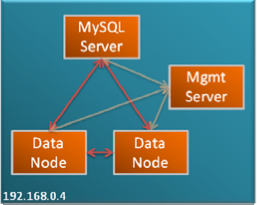
If you have tried Quick start guides: MySQL cluster in 10 minutes, you may have realized that it is really quick and easy.
However, it leaves some typing to be done.
Users of MySQL Sandbox have a horror of repetitive typing, and this got me thinking. "Could I integrate MySQL Sandbox and Cluster?"
The answer was: "Sure."
But then I started thinking of all the minor and major changes that I wanted to do to the Sandbox and have delayed for too long. What I need, is a radical refactoring.
And then I remembered that it has been almost two years since I learned a new programming language and that perhaps I could expand my horizons and the Sandbox architecture at once.
Thus, thanks to an irresistible offer from O'reilly about ebooks, last week I bought both Learning Python, fourth edition and Programming Python, Third edition.
During the week end I produced my first tool: a Python script that installs and starts a small cluster, following the instructions given in the MySQL Cluster quick start guides. The script unpacks the cluster tarball, installs a server sandbox from it, then starts the cluster nodes and the MySQL server, and then it monitors the cluster until all the nodes are connected before finally testing the server.
Here is a sample run:

$ make_cluster.py ~/Downloads/mysql-cluster-gpl-7.1.4b-osx10.6-x86_64.tar.gz

++ tar -xzf ~/Downloads/mysql-cluster-gpl-7.1.4b-osx10.6-x86_64.tar.gz

++ low_level_make_sandbox --basedir=$HOME/python/mysql-cluster-gpl-7.1.4b-osx10.6-x86_64 --sandbox_directory=mcluster --install_version=5.1 --sandbox_port=5144 --no_ver_after_name --no_run --force --my_clause=log-error=msandbox.err --my_clause=ndbcluster 
    The MySQL Sandbox,  version 3.0.12
    (C) 2006-2010 Giuseppe Maxia
installing with the following parameters:
upper_directory                = $HOME/sandboxes
sandbox_directory              = mcluster
sandbox_port                   = 5144
check_port                     = 
no_check_port                  = 
datadir_from                   = script
install_version                = 5.1
basedir                        = $HOME/python/mysql-cluster-gpl-7.1.4b-osx10.6-x86_64
tmpdir                         = 
my_file                        = 
operating_system_user          = gmax
db_user                        = msandbox
db_password                    = msandbox
my_clause                      = log-error=msandbox.err ; ndbcluster
prompt_prefix                  = mysql
prompt_body                    =  [\h] {\u} (\d) > 
force                          = 1
no_ver_after_name              = 1
verbose                        = 
load_grants                    = 1
no_load_grants                 = 
no_run                         = 1
no_show                        = 
loading grants
.. sandbox server started
stopping server
Your sandbox server was installed in $HOME/sandboxes/mcluster

++ mysql-cluster-gpl-7.1.4b-osx10.6-x86_64/bin/ndb_mgmd -f $HOME/sandboxes/mcluster/my_cluster/conf/config.ini --initial --configdir=$HOME/sandboxes/mcluster/my_cluster/conf/
2010-06-28 21:29:57 [MgmtSrvr] INFO     -- NDB Cluster Management Server. mysql-5.1.44 ndb-7.1.4b
2010-06-28 21:29:57 [MgmtSrvr] INFO     -- Reading cluster configuration from '$HOME/sandboxes/mcluster/my_cluster/conf/config.ini'

++ mysql-cluster-gpl-7.1.4b-osx10.6-x86_64/bin/ndbd -c localhost:1186
2010-06-28 21:29:57 [ndbd] INFO     -- Configuration fetched from 'localhost:1186', generation: 1

++ mysql-cluster-gpl-7.1.4b-osx10.6-x86_64/bin/ndbd -c localhost:1186
2010-06-28 21:29:57 [ndbd] INFO     -- Configuration fetched from 'localhost:1186', generation: 1

++ mysql-cluster-gpl-7.1.4b-osx10.6-x86_64/bin/ndb_mgm -e show
Connected to Management Server at: localhost:1186
Cluster Configuration
---------------------
[ndbd(NDB)] 2 node(s)
id=3 (not connected, accepting connect from localhost)
id=4 (not connected, accepting connect from localhost)

[ndb_mgmd(MGM)] 1 node(s)
id=1 @localhost  (mysql-5.1.44 ndb-7.1.4)

[mysqld(API)] 1 node(s)
id=50 (not connected, accepting connect from any host)


++ $HOME/sandboxes/mcluster/clear

++ $HOME/sandboxes/mcluster/start
... sandbox server started
Please wait. Giving the cluster time to catch up
Connected to Management Server at: localhost:1186
Cluster Configuration
---------------------
[ndbd(NDB)] 2 node(s)
id=3 @127.0.0.1  (mysql-5.1.44 ndb-7.1.4, starting, Nodegroup: 0, Master)
id=4 @127.0.0.1  (mysql-5.1.44 ndb-7.1.4, starting, Nodegroup: 0)

[ndb_mgmd(MGM)] 1 node(s)
id=1 @localhost  (mysql-5.1.44 ndb-7.1.4)

[mysqld(API)] 1 node(s)
id=50 (not connected, accepting connect from any host)


It may take up to 2 minutes to initialize ... ( 0 )
Connected to Management Server at: localhost:1186
Cluster Configuration
---------------------
[ndbd(NDB)] 2 node(s)
id=3 @127.0.0.1  (mysql-5.1.44 ndb-7.1.4, starting, Nodegroup: 0, Master)
id=4 @127.0.0.1  (mysql-5.1.44 ndb-7.1.4, starting, Nodegroup: 0)

[ndb_mgmd(MGM)] 1 node(s)
id=1 @localhost  (mysql-5.1.44 ndb-7.1.4)

[mysqld(API)] 1 node(s)
id=50 (not connected, accepting connect from any host)


It may take up to 2 minutes to initialize ... ( 5 )
Connected to Management Server at: localhost:1186
Cluster Configuration
---------------------
[ndbd(NDB)] 2 node(s)
id=3 @127.0.0.1  (mysql-5.1.44 ndb-7.1.4, starting, Nodegroup: 0, Master)
id=4 @127.0.0.1  (mysql-5.1.44 ndb-7.1.4, starting, Nodegroup: 0)

[ndb_mgmd(MGM)] 1 node(s)
id=1 @localhost  (mysql-5.1.44 ndb-7.1.4)

[mysqld(API)] 1 node(s)
id=50 (not connected, accepting connect from any host)

[...]

It may take up to 2 minutes to initialize ... ( 100 )
Connected to Management Server at: localhost:1186
Cluster Configuration
---------------------
[ndbd(NDB)] 2 node(s)
id=3 @127.0.0.1  (mysql-5.1.44 ndb-7.1.4, Nodegroup: 0, Master)
id=4 @127.0.0.1  (mysql-5.1.44 ndb-7.1.4, Nodegroup: 0)

[ndb_mgmd(MGM)] 1 node(s)
id=1 @127.0.0.1  (mysql-5.1.44 ndb-7.1.4)

[mysqld(API)] 1 node(s)
id=50 @127.0.0.1  (mysql-5.1.44 ndb-7.1.4)


++ $HOME/sandboxes/mcluster/use -vvv -e "create table test.t1(i int not null primary key)engine=ndb"
--------------
create table test.t1(i int not null primary key)engine=ndb
--------------
Query OK, 0 rows affected (0.45 sec)

++ $HOME/sandboxes/mcluster/use -vvv -e "show create table test.t1\G"
--------------
show create table test.t1
--------------

*************************** 1. row ***************************
       Table: t1
Create Table: CREATE TABLE `t1` (
  `i` int(11) NOT NULL,
  PRIMARY KEY (`i`)
) ENGINE=ndbcluster DEFAULT CHARSET=latin1
1 row in set (0.00 sec)

to shut down the cluster, type:
$HOME/python/mysql-cluster-gpl-7.1.4b-osx10.6-x86_64/bin/ndb_mgm -e shutdown
It works! Ans this is a good start to make me feel confident with Python, which I will use to develop MySQL Sandbox version 4. This cluster snippet will probably be made from scratch once the new architecture is in place. For now, it was enough to get the feeling of the language.

Friday, June 25, 2010

Quick start guides: MySQL cluster in 10 minutes

MySQL Cluster quick start guide Scared of MySQL Cluster?
Don't be. You may want to try the quick start guides that are available in the Cluster downloads page.
These guides are a step-by-step instructions set to create a simple cluster in one host.
Following the instructions, you will be able to shape up all the cluster components in 10 minutes or less. This will be far from production ready, of course, but it shows that cluster is not rocket science, and anyone can get started with it with a minimal time investment.
I tried the Linux instructions on my Mac, and it worked without need for any changes. Things may be different when you deploy a real set of servers on separate hosts, but it's a good start.
If I compare this guide with my first experience with MySQL Cluster in 2004, usability and stability have increased enormously.

Saturday, June 19, 2010

Welcome googleCL

I am writing this blog post with Vim, my favorite editor, instead of using the online editor offered by blogger. And I am uploading this post to my Blogger account using Google CL a tool that lets you use Google services from the command line.
I am a command line geek, and as soon as I saw the announcement, I installed it in my laptop. The mere fact that you are reading this blog post shows that it works.

GoogleCL is an apparently simple application. If you install it on Mac using macports you realize how many dependencies it has and how much complexity it gives under the hood.
Using an easy to understand syntax, it allows you to access your blog, pictures, calendar, contacts, videos, and online documents at your fingertips.
For example, let's query my blog for partitioning:

$ google blogger --blog="The Data Charmer" --title=partitioning list "title,url"

Hmm. No results. The manual doesn't help much, but something happened during this query. The first thing ist that I was asked to authorize the script to access my blog, and that was done by activating a key that I got in the command line. So far, so good. The second thing was a message informing me that a default configuration file was created in my home directory. Looking at that file, I saw an option saying "regex = True". Aha! So the title supports regular expressions. Let's try:

$ google blogger --blog="The Data Charmer" --title=".*partitioning" list "title"
Holiday gift - A deep look at MySQL 5.5 partitioning enhancements
The partition helper - Improving usability with MySQL 5.1 partitioning
A quick usability hack with partitioning
MySQL 5.1 Improving ARCHIVE performance with partitioning

OK. This gives me everything with the word "partitioning" in the title. But I know that some titles are missing. Comparing with the results that I get online, I see that the titles where "partitioning" is capitalized are not reported. So the search is case sensitive. What I need to do is to tell the regular expression that I want a case insensitive search. Fortunately, I know how to speak regular expressions. Let's try again.

$ google blogger --blog="The Data Charmer" --title="(?i).*partitioning.*" list "title"
Holiday gift - A deep look at MySQL 5.5 partitioning enhancements
Partitioning with non integer values using triggers
Tutorial on Partitioning at the MySQL Users Conference 2009
The partition helper - Improving usability with MySQL 5.1 partitioning
A quick usability hack with partitioning
MySQL 5.1 Improving ARCHIVE performance with partitioning

Now I feel confident enough to do some changes to my online contents.
To create this blog post, I used some of googlecl capabilities. After I created an image, I uploaded it to my Picasa album using this command:

$google picasa post -n "Blogger Pictures" -t googlecl ~/Desktop/google_cl.png

Then I asked Picasa to give me the URL of the image:

$ google picasa list -n "Blogger Pictures" --query googlecl title,url_direct
google_cl.png,https://blogger.googleusercontent.com/img/b/R29vZ2xl/AVvXsEigTW09cp-kY2qB2l0zbiCMfM3LTN-ZbjlrhKH0wlxFgOqodQ_Mf5D8aSlq_w2Hv4A2aJiHgqbQR3J8gNiUmmWgTAAPO4AHvyHDHUx6GbCZBlIZQL7QYO6JBxepsk9XuDx8q3Q8/

And then I inserted that URL in this blog post. Finally, I uploaded the blog post with this command:

google blogger --blog="The Data Charmer" --draft --title "Welcome googleCL" --tags="google,mysql,partitioning,command line,blogging" post ~/blog/welcome_googlecl.html


(Now writing online) And after I checked that the post was looking as I wanted it, I hit the "PUBLISH POST" button.
Welcome, GoogleCL!

Sunday, June 13, 2010

Free software and business in Sardinia

jAPSOn June 10th and 11th I attended two interesting workshops, both related to the Italian Free Software conference, and both organized by private institutions that have expanded their boundaries and created two quite lively international events.

The first event was held near Pula, in an innovation laboratory encased in a beautiful forest. The Technological Park of Sardegna Ricerche is a place where research and business boil together to produce new companies and to help consolidate existing ones.
The workshop was titled A community for a new business model and it was a show case of a dozen companies, both local and from abroad. After the presentations and a lovely open air lunch, there were 1-to-1 20 minutes meetings between companies, to dive deeper in technologies, ideas, and friendships. I must say that I enjoyed the event, not only because my presentation on MySQL community and values was quite well received, but also because I met interesting people and found some new ideas that need further exploration.
The main event, the fourth Italian free software conference, was not as exciting. The organizers decided to paint the event with local colors only, thus making it less interesting for me, as my job takes me around more abroad than in my own country. Oh' well. It's the Italian conference after all, and it has the right of being an all-Italian show. IMO, it's a pity, though. Exposure to external ideas is often beneficial, and I would have welcomed at least some openness beyond the national boundaries.
Anyway, the show was rescued by another workshop, organized by a local company, which was not afraid of venturing in international waters. The company is named Tzente, which means People in Sardinian, and true to their name they brought to the event several international companies, with Italian and foreign speakers. Also this event was very lively and interesting.
The hosts (Tzente) are a company to keep an eye on. They produce an open source software, called Java Agile Portal System or jAPS for short. In spite of the name, jAPS is much more than a portal. It's an integrated and versatile system to automate companies and public organizations. Their business model is simple: give the components away for free, thus building a community of users and testers, and sell integration and customization services either directly or through partners. Compared to many other startups, Tzente has a distinct advantage over the competition. They have customers. Not only they produce an excellent open source product, but their monetization strategy has already brought them large customers in Italy and abroad. They have partnerships with well known names (among which MySQL, Pentaho, Ingres, Red Hat) and I think they are going to grow fast. Good job, Tzente!
A personal note. At the first workshop I did my presentation in English, and I felt very comfortable. At the second workshop, I did the same presentation in Italian. I had the feeling that the English version was more effective. Probably I am traveling too much.

Sunday, June 06, 2010

Performance gain of MySQL 5.1 InnoDB plugin

plugin performanceYou know already that InnoDB in MySQL 5.5 has great improvements in performance and scalability. You will have to wait a few months for that, though, because MySQL 5.5 is not GA yet.
But if you need some extra performance in MySQL 5.1, you may want to use the Innodb Plugin instead of the built-in one. As of version 5.1.47, the Innodb plugin is of GA quality, and it comes with a good out-of-the-box improvement compared to the built-in engine.

To test my assumptions, I used one of my test Linux servers to perform a sysbench on 5.0.91, 5.1.47 built-in and plugin, and 5.5.4. The MySQL servers were all configured with
innodb_buffer_pool_size=5G

MySQL 4.1.47 was tested both as out-of-the-box, and with the plugin enabled.

ignore_builtin_innodb
# note: the following statements must go all in one line
plugin-load=innodb=ha_innodb_plugin.so;innodb_trx=ha_innodb_plugin.so;innodb_locks=ha_innodb_plugin.so;innodb_lock_waits=ha_innodb_plugin.so;innodb_cmp=ha_innodb_plugin.so;innodb_cmp_reset=ha_innodb_plugin.so;innodb_cmpmem=ha_innodb_plugin.so;innodb_cmpmem_reset=ha_innodb_plugin.so

default-storage-engine=InnoDBinnodb_file_per_table=1
innodb_file_format=barracudainnodb_strict_mode=1

The test was the same for all the servers. A simple sysbench both read-only and read/write on a 1M records table.

sysbench \
--test=oltp \
--oltp-table-size=1000000 \
--mysql-db=test \
--mysql-user=$USER \
--mysql-password=$PASSWD \
--mysql-host=$HOST \
--mysql-port=$PORT \
--max-time=60 \
--oltp-read-only=$ON_OFF \
--max-requests=0 \
--num-threads=8 run

What came out is that, by using the innodb plugin instead of the built-in engine, you get roughly 15% more in read-only, and close to 8% in read/write.


Note that 5.5. enhancements are more impressive in scalability tests with more than 8 cores. In this server, I have just tested a simple scenario.

I did some more testing using "ROW_FORMAT=COMPRESSED KEY_BLOCK_SIZE=X" in the InnoDB table, where X changed from 4 to 16. But sysbench didn't seem to play well with compression. For low values of KEY_BLOCK_SIZE, you actually get a much worse result than the built-in engine. I have yet to figure out how I would use this compressed InnoDB in practice.

Monday, May 31, 2010

OpenSQLCamp EU 2010 - Call for participation

opensqlcamp2010
The European OpenSQLCamp 2010 will take place in parallel to the Free and Open Source Conference 2010 (FrOSCon) on Saturday 21st and Sunday 22nd August at the Fachhochschule Bonn-Rhein-Sieg in St. Augustin, Germany. St. Augustin is located close to Bonn and Cologne.
The Call for Participation is now online.

The event is organized by yours truly and Felix Schupp, and we are open to cooperation from other volunteers.
Specifically, we need help to beat the drum. Even if you can't participate, we will appreciate your help in making the Call for Participation known.
OpenSQLCamp2010 will use the FrOSCon's Pentabarf conference coordination system to collect talk submissions and perform the organizing and scheduling of the talks.
Please create an account there, if you don't have one already. Once you have activated your account via the email address you provided, please log into the system and create a new event. Make sure to select track OpenSQLCamp for your submission!

IMPORTANT! - FrOSCon uses CA certificates. If you browser does not recognize them, then you need to Import the CAcert Root Certificate before using the CfP pages.


The deadline for submitting your proposal is Sunday, July 11th, 2010 (12:00pm PST).

Sunday, May 30, 2010

MySQL Sandbox now with plugins, more tests, instrumentation

MySQL SandboxThe latest release of MySQL Sandbox, 3.0.12, has integrated plugin installation features, as mentioned in my previous post.
Not only that. This version has also more tests, fixes a couple of bugs, and introduces basic instrumentation. Now each script released with MySQL Sandbox, and every one that the Sandbox itself installs, can leave a trail in a file.

Let's start with the plugin. The documentation has been updated to cover this new feature. And 27 new tests give me some confidence that it should work as advertised.
While I was waiting for the test suite to finish its 238 tests, I was wondering how much was going on under the hood. So I spent one hour implementing some basic instrumentation, not only in the make_* scripts, but also in every script that the sandbox installs. The code is quite modular, and adding this feature was easy.
Now, if you want to use this instrumentation, you need to create a file, and set the operating system variable $SBINSTR to the full path of that file prior to using the Sandbox. Then, every script will leave an entry in that file, saying its name, the current time, and which parameters was using.
This is what I got after running the test suite. 66 instances of MySQL installed to perform over 200 tests, in about 18 minutes.


MySQL Sandbox scriptscalls
make_sandbox 66
low_level_make_sandbox 66
make_replication_sandbox 8
make_multiple_sandbox 7
make_multiple_custom_sandbox 2
Installed scriptscalls
use 440
stop 192
start 128
clear 56
sandbox_action 56
sbtool 34
stop_all 30
use_all 20
clear_all 13
start_all 12
send_kill 11
restart 9
initialize_slaves 8
restart_all 4
change_paths 2
change_ports 1
total 1165

The new release is available from Launchpad or directly from the CPAN

Monday, May 24, 2010

MySQL Sandbox meets plugins

Sandbox and pluginsI saw it coming.
In the past year I have been working more and more with plugins. The InnoDB plugins, the semi-synchronous replication plugins, the Gearman UDFs, the Spider plugins, and every time I found myself doing a long installation process, with inevitable mistakes.

So I told myself "I wish I had a tool that installed plugins instantly and painlessly, the way MySQL Sandbox installs a server.
There you go. So yesterday I had enough of suffering and have put together an installation script that does a good job of installing several plugins with little or no effort.

Overview

How does it work? For now, it's a separate script, but it will soon end into SBtool, the Sandbox tool.
Plugins need different operations, and the difficult part is finding a clear way of describing what you want to do, and how. But once you have come up with that set of instructions, there is seldom need to revisit it.
So the principle is th create a set of templates, one for every plugin, where you explain to the installation script what you want to do.
Having installed several plugins repeatedly in several versions of MySQL, I now have a good understanding of the process, and having gone through the motions of explaining the procedure to a Perl script, I feel that I know the process even more. That is, if you want to understand a process, script it. For if you want to script a process, you really need to understand what's going on.

The template


The template was not easy to write. After some bargaining with myself, I decided that the best format was Perl itself.
Let's see, for example, the InnoDB plugin

innodb => {
all_servers =>
{
operation_sequence => [qw(stop options_file start sql_commands )],
options_file =>
[
'ignore_builtin_innodb',
'plugin-load='
.'innodb=ha_innodb_plugin.so;'
.'innodb_trx=ha_innodb_plugin.so;'
.'innodb_locks=ha_innodb_plugin.so;'
.'innodb_lock_waits=ha_innodb_plugin.so;'
.'innodb_cmp=ha_innodb_plugin.so;'
.'innodb_cmp_reset=ha_innodb_plugin.so;'
.'innodb_cmpmem=ha_innodb_plugin.so;'
.'innodb_cmpmem_reset=ha_innodb_plugin.so',
'default-storage-engine=InnoDB',
'innodb_file_per_table=1',
'innodb_file_format=barracuda',
'innodb_strict_mode=1',
],
sql_commands =>
[
'select @@innodb_version;',
],
startup_file => [ ],
},
},

The first thing that you notice is that there is an all_servers section. This means that any server can get the same treatment, as opposed to the semi-synchronous plugin, where master and slave need different plugins and commands.
Then comes the operation_sequence, where we decide the order of the operations.
Inside options_file we put the commands that we want inside a my.cnf.
The sql_commands section has a list of queries that the script runs when instructed.

semisynch => {
master =>
{
operation_sequence => [qw(stop options_file start sql_commands )],
options_file =>
[
'plugin-load=rpl_semi_sync_master=semisync_master.so',
'rpl_semi_sync_master_enabled=1'
],
sql_commands =>
[
'select @@rpl_semi_sync_master_enabled;'
],
startup_file => []
},
slave =>
{
operation_sequence => [qw(stop options_file start sql_commands )],
options_file =>
[
'plugin-load=rpl_semi_sync_slave=semisync_slave.so',
'rpl_semi_sync_slave_enabled=1'
],
sql_commands =>
[
'select @@rpl_semi_sync_slave_enabled;'
],
startup_file => []
},
},

By contrast, the semisynch plugin looks comparatively more complex, with its two sections for master and slave. But as you look closely, you recognize the two operations described in the manual, and you feel that you could deal with them easily.

The script


The script was not much difficult to write. Since it only works with MySQL Sandbox instances, it leverages on the predictability of each server.
There is quite a lot of complexity inside, though, because the script checks every possible source of trouble before actually running the instructions from the template.
The script needs two parameters: a directory containin a sandbox, and the name of the plugin. It expects the plugin definition template (named plugin.conf to be in the destination directory, or in the $SANDBOX_HOME directory.
It recognizes if the target path is a single or multiple sandbox. If it is multiple, it installs the given plugin in every server. It also recognizes if the server is a master or a slave, and pulls the appropriate section from the template when required.

$ perl set_plugin.pl $HOME/sandboxes/rsandbox_5_1_47 innodb
executing "stop" on slave 1
executing "stop" on slave 2
executing "stop" on master
Installing <innodb> in </$HOME/sandboxes/rsandbox_5_1_47/master/>
. sandbox server started
--------------
select @@innodb_version
--------------

+------------------+
| @@innodb_version |
+------------------+
| 1.0.8 |
+------------------+
1 row in set (0.00 sec)

Bye
Installing <innodb> in </$HOME/sandboxes/rsandbox_5_1_47/node1/>
. sandbox server started
--------------
select @@innodb_version
--------------

+------------------+
| @@innodb_version |
+------------------+
| 1.0.8 |
+------------------+
1 row in set (0.00 sec)

Bye
Installing <innodb> in </$HOME/sandboxes/rsandbox_5_1_47/node2/>
.. sandbox server started
--------------
select @@innodb_version
--------------

+------------------+
| @@innodb_version |
+------------------+
| 1.0.8 |
+------------------+
1 row in set (0.00 sec)

Now there is no excuse for testing servers with plugins.
There is still some TODO, most notably testing, fixing conflicts that may happen when two plugins fight for the same plugin-load statement, and integrating with sbtool, as said before. But for now, it is enough.
You can try i, by using the script and the template

Monday, May 17, 2010

LOAD DATA: a tricky replication issue

When you are importing large amounts of data from other sources LOAD DATA is a common method of inserting data into a table.
It is one of the old commands implemented in MySQL. As such it is very fast, and it has been optimized for both MyISAM and InnoDB.
All is well when you are loading data into a standalone server. All is almost well when you are using replication. LOAD DATA used to be a problem in old versions of MYSQL, prior to 4.1. With recent versions of MySQL, it is replicated correctly, and sometimes efficiently.
The trouble starts when the data file is big. The definition of big and the amount of trouble that you can get depends on many factors. That's why users may not realize that this problem exists, even with fairly large files, and then being hit by this disaster when the file is only a little larger than the previous ones.
First, let me explain what happens when you replicate LOAD DATA.
  1. The LOAD DATA query runs in the master.
  2. When the query is finished, the master starts pumping data to the binary log.
  3. The slave receives the binary log, and it will create a copy of the data file in the default temporary directory.
  4. The slave executes the LOAD DATA query using the temporary file.
  5. When the slave is done loading the data, the temporary file is deleted
  6. The data from the relay log is deleted

At the end of the exercise, your data is only in the database table, both in the master and in the slaves. However, during the loading, each slave needs THREE TIMES THE STORAGE of the initial data file size, not counting the indexes.
If your data is 10 GB, then you will need 20 GB on the master (10 for the table, 10 for the binary log, and eventually 10 more for the indexes).
On the slave, you will need 30 GB: 10 for the table (+ indexes if requested), 10 for the relay logs, and 10 for the file in the temporary directory. The last part is the tricky one. The temporary directory is whatever is indicated in the TMPDIR system variable. If that directory is in a partition with less than 10 GB free, your replication will break, even if your data directory has terabytes of free space.

Friday, May 14, 2010

Sometimes, even a command line guy likes a GUI

As everyone knows, I am a command line guy. I am very much comfortable with the shell prompt and the command line SQL client. I do most of my work that way, and I am very much productive.
However, there comes a time when even for a command line enthusiast a GUI can be helpful.
Here comes the latest MySQL Workbench 5.2.
There are two areas where I feel that WB can give me a hand:
The first is when looking at tables that contain BLOB columns. Sure I can deal with them at the command line, but this editor makes my life easier.

When a column contains a BLOB, you can open the field viewer.

At first glance, this is nothing more than what the command line could provide. I could get output in hexadecimal format quite easily in any client. But, looking more closely, there is a tab labeled "image" that is not as easy to come by at the command line prompt.

And there is Mike Hillyer, the main author of the Sakila database, who has stored his own image in the staff table for future generations. If you stick to the command line, you may easily miss this piece of self advertising.

The second area where I like having MySQL Workbench is when I need to change my configuration file with less than common options. Since no human (apart from Sheeri, perhaps) can remember all the options, I usually need to search the manual.

In WB, instead, I can edit the options file with the GUI, without need of remembering the exact names and spelling of the items I need.
Now, if I couple the above issues with the notion that MySQL Workbench is A Useful Tool to Centrally Manage Many MySQL Instances, I think that every command line enthusiast should give this tool a try.
Lastly, I should mention that Workbench 5.2 is becoming quite popular, as the downloads map shows.

Wednesday, May 12, 2010

World map, shaped by MySQL downloads

MySQL downloads
A few years ago, during the MySQL Conference opening keynote, two world maps of MySQL downloads were displayed. With the lights down, they made an impression.
Oddly enough, to the best of my knowledge, the downloads map has not been drawn again since then. I asked my friend and colleague Markus Popp, and he provided the data from the downloads logs, leaving the implementation to me.
A first attempt with Google Maps API produced a chart that is nice to see for a single country or town, but hardly pleasant for the entire world.

Then, I abandoned the easy path, and looked at CPAN for inspiration, and immediately found something that could solve my problem. Using GD::Map, I quickly created a world map, and after a few minutes of fiddling with the innards, I manage to plot a map that looked like what I wanted.
.
To get the red dots on a black background I simply used Gimp, and soon I had the results I was looking for.

Thursday, May 06, 2010

Two quick performance tips with MySQL 5.1 partitions

partitionsWhile I was researching for my partitions tutorial, I came across two hidden problems, which may happen often, but are somehow difficult to detect and even more difficult to fix, unless you know what's going on, and why. I presented both cases during my tutorial, but there were no pictures to convey the mechanics of the problem. Here is the full story.

TO_DAYS() prunes two partitions instead of one


If you are partitioning by date, chances are that you are using TO_DAYS(). And depending on how you have partitioned your table, your queries are as fast as you expect them to be. However, there are cases where your query takes twice as long as it should, and of course this will not make you happy.

For example, in a table partitioned by month, when your query searches for values within one specific month, EXPLAIN PARTITIONS tells you that the search involves two partitions (see figure above). This means that, instead of searching through 1,000,000 rows in one partitions, the partitions engine is searching through 2,000,000 rows in two partitions.
But why? The reasoning, as reported from the developers, is that
This is not a bug, since TO_DAYS() returns NULL for invalid dates, it needs to scan the first partition as well (since that holds all NULL values) for ranges.

Bug#49754: Partitioning by RANGE with TO_DAYS always includes first partition when pruning
This makes sense, from a developer's standpoint. From a user's experience, though, it's a bug.
Anyway, it doesn't do us any good to rant about it. Our query is still twice as slow as we want it. We need to take action. The workaround is to create an empty partition in first position. If we are creating a new table, it's simple. Just say
PARTITION p000 VALUES LESS THAN (0)
and all will be well. The partition pruning mechanism will still find two partitions, but since the first one is empty, it won't impact the performance.
If you have an existing table already partitioned, like in our example, then you need to perform a different operation

Now we have a different first partition, with no records. When we issue the same query, the partition pruning will look at partition p0, but it will skip it because there are no records.

Inserting single rows in partitions is slow


Also this bug is sometimes difficult to detect. If you want to test partitions in MySQL 5.1, probably you will take an existing table and convert it to a partitioned one, or you create a new table and load the contents from a dump. Either way, you are unlikely to insert millions of records with single INSERT statements. These single inserts are slower than bulk inserts in the first place, but with partitions there is an additional penalty. Whenever you insert a record, the partitioning engine locks the entire table. When you insert thousands of records, the partitioning engine will lock all partitions before the insert, and unlock them after the insert. If you have 500 partitions, that's 500 locks and 500 unlocks for every statement. Ouch!
It's a design problem, and it is not likely to be fixed without turning around the whole architecture of partitions. Also in this case, there is a bug report, Partitioning performance drops drastically with hundreds of partitions, although nobody says that this is a feature.
What can you do, then? You have several choices:
  • You can use a bulk insert. Instead of single statements, use INSERT with multiple records, or LOAD DATA INFILE.
  • Explicitly LOCK the table before inserting and UNLOCK it after you finish with all the inserts. This will avoid the overhead, although it won't make your table concurrently accessible until you finish.
  • If you use partitioning only to facilitate heavy queries, consider using a non-partitioned table on the master, and partitioned ARCHIVE tables on the slaves (see figure below).


As I have said many times in my presentations, always benchmark before using partitions in production. Whether you think that it will boost your performance or that it will slow things down, don't trust your instincts, and test. You may be up for a surprise.

Thursday, April 29, 2010

Exchanging partitions with tables

MySQL PartitionsWhile I was presenting my partitioning tutorial at the latest MySQL Conference, I announced a new feature that was, as far as I knew, still in the planning stage. Mattias Jonsson, one of the partitions developers, was in attendance, and corrected me, explaining that the feature was actually available in a prototype.

So, we can have a look at this improvement, which I am sure will make DBAs quite happy. The new feature is an instantaneous exchange between a partition and a table with the same structure. Using this feature, you can transfer the contents of one partition to one table, and vice versa. Since the transition is done only in the attribution of the data, there is no copy involved. The data stays where it is at the moment. What is in the table ends up in the partition and what's in the partition ends up in the table. Let's see an example.

With the data in figure 1, where we have a partitioned table t1 and an empty table t2 with the same structure, we can issue the following statement:
ALTER TABLE t1
EXCHANGE PARTITION p2
WITH TABLE t2


After the exchange, partition p2 is empty, and table t2 contains 4 records.
If we repeat the command, the contents will be swapped again, leaving table t2 empty and partition p2 with its original contents.

If you want to test on your own, you can get the code from Launchpad. Once you get the code, you can use cmake to build the server.

$ cmake-gui .
# add the options you need. For example, enable innodb
# or else you will need to load it as a plugin.
$ make && ./scripts/make_binary_distribution

You can then use this script to test the new functionality. You may want to change Innodb with MyISAM to test it thoroughly. At the moment, it doesn't work with the archive engine (yet). UPDATE 2010-04-30 Now it does! Mattias has fixed the bug.

# ############################
# test_exchange_partitions.sql
# ############################
use test;
set default_storage_engine=innodb;
drop procedure if exists compare_tables;
delimiter //
create procedure compare_tables (wanted int)
reads sql data
begin
set @part_table := (select count(*) from t1);
set @non_part_table := (select count(*) from t2);
select @part_table, @non_part_table,
if(@non_part_table = wanted, "OK", "error") as expected;
end //
delimiter ;

drop table if exists t1, t2;
create table t1 (i int) # not null primary key)
partition by range (i)
(
partition p01 values less than (100001),
partition p02 values less than (200001),
partition p03 values less than (300001),
partition p04 values less than (400001),
partition p05 values less than (500001),
partition p06 values less than (600001),
partition p07 values less than (700001),
partition p08 values less than (800001),
partition p09 values less than (900001),
partition p10 values less than (1000001),
partition p11 values less than (maxvalue));

create table t2 (i int ) ; # not null primary key);

select table_name, engine
from information_schema.tables
where table_schema='test' and table_type='base table';


select 'generating 1 million records. ...' as info;
# generates 1 million records
# see this article for details
# http://datacharmer.blogspot.com/2007/12/data-from-nothing-solution-to-pop-quiz.html
create or replace view v3 as select null union all select null union all select null;
create or replace view v10 as select null from v3 a, v3 b union all select null;
create or replace view v1000 as select null from v10 a, v10 b, v10 c;
set @n = 0;
insert into t1 select @n:=@n+1 from v1000 a,v1000 b;

select partition_name, table_rows from information_schema . partitions where table_name='t1' and table_schema='test';

call compare_tables(0);

alter table t1 exchange partition p04 with table t2;
call compare_tables(100000);

select partition_name, table_rows from information_schema . partitions where table_name='t1' and table_schema='test';

alter table t1 exchange partition p04 with table t2;
call compare_tables(0);

alter table t1 exchange partition p04 with table t2;
call compare_tables(100000);

Here is a test run:

$ ~/sandboxes/msb_5_6_99/use -t test -vvv < test_exch_part.sql
--------------
set default_storage_engine=innodb
--------------

Query OK, 0 rows affected (0.00 sec)

--------------
drop procedure if exists compare_tables
--------------

Query OK, 0 rows affected (0.00 sec)

--------------
create procedure compare_tables (wanted int)
reads sql data
begin
set @part_table := (select count(*) from t1);
set @non_part_table := (select count(*) from t2);
select @part_table, @non_part_table,
if(@non_part_table = wanted, "OK", "error") as expected;
end
--------------

Query OK, 0 rows affected (0.00 sec)

--------------
drop table if exists t1, t2
--------------

Query OK, 0 rows affected (0.07 sec)

--------------
create table t1 (i int)
partition by range (i)
(
partition p01 values less than (100001),
partition p02 values less than (200001),
partition p03 values less than (300001),
partition p04 values less than (400001),
partition p05 values less than (500001),
partition p06 values less than (600001),
partition p07 values less than (700001),
partition p08 values less than (800001),
partition p09 values less than (900001),
partition p10 values less than (1000001),
partition p11 values less than (maxvalue))
--------------

Query OK, 0 rows affected (0.08 sec)

--------------
create table t2 (i int )
--------------

Query OK, 0 rows affected (0.14 sec)

--------------
select table_name, engine
from information_schema.tables
where table_schema='test' and table_type='base table'
--------------

+------------+--------+
| table_name | engine |
+------------+--------+
| t1 | InnoDB |
| t2 | InnoDB |
+------------+--------+
2 rows in set (0.01 sec)

--------------
select 'generating 1 million records. ...' as info
--------------

+-----------------------------------+
| info |
+-----------------------------------+
| generating 1 million records. ... |
+-----------------------------------+
1 row in set (0.00 sec)

--------------
create or replace view v3 as select null union all select null union all select null
--------------

Query OK, 0 rows affected (0.12 sec)

--------------
create or replace view v10 as select null from v3 a, v3 b union all select null
--------------

Query OK, 0 rows affected (0.14 sec)

--------------
create or replace view v1000 as select null from v10 a, v10 b, v10 c
--------------

Query OK, 0 rows affected (0.09 sec)

--------------
set @n = 0
--------------

Query OK, 0 rows affected (0.00 sec)

--------------
insert into t1 select @n:=@n+1 from v1000 a,v1000 b
--------------

Query OK, 1000000 rows affected (10.01 sec)
Records: 1000000 Duplicates: 0 Warnings: 0

--------------
select partition_name, table_rows from information_schema . partitions where table_name='t1' and table_schema='test'
--------------

+----------------+------------+
| partition_name | table_rows |
+----------------+------------+
| p01 | 100623 |
| p02 | 100623 |
| p03 | 100623 |
| p04 | 100623 |
| p05 | 100623 |
| p06 | 100623 |
| p07 | 100623 |
| p08 | 100623 |
| p09 | 100623 |
| p10 | 100623 |
| p11 | 0 |
+----------------+------------+
11 rows in set (0.01 sec)

--------------
call compare_tables(0)
--------------

+-------------+-----------------+----------+
| @part_table | @non_part_table | expected |
+-------------+-----------------+----------+
| 1000000 | 0 | OK |
+-------------+-----------------+----------+
1 row in set (0.56 sec)

Query OK, 0 rows affected (0.56 sec)

--------------
alter table t1 exchange partition p04 with table t2
--------------

Query OK, 0 rows affected (0.01 sec)

--------------
call compare_tables(100000)
--------------

+-------------+-----------------+----------+
| @part_table | @non_part_table | expected |
+-------------+-----------------+----------+
| 900000 | 100000 | OK |
+-------------+-----------------+----------+
1 row in set (0.54 sec)

Query OK, 0 rows affected (0.54 sec)

--------------
select partition_name, table_rows from information_schema . partitions where table_name='t1' and table_schema='test'
--------------

+----------------+------------+
| partition_name | table_rows |
+----------------+------------+
| p01 | 100623 |
| p02 | 100623 |
| p03 | 100623 |
| p04 | 0 |
| p05 | 100623 |
| p06 | 100623 |
| p07 | 100623 |
| p08 | 100623 |
| p09 | 100623 |
| p10 | 91799 |
| p11 | 0 |
+----------------+------------+
11 rows in set (0.01 sec)

--------------
alter table t1 exchange partition p04 with table t2
--------------

Query OK, 0 rows affected (0.05 sec)

--------------
call compare_tables(0)
--------------

+-------------+-----------------+----------+
| @part_table | @non_part_table | expected |
+-------------+-----------------+----------+
| 1000000 | 0 | OK |
+-------------+-----------------+----------+
1 row in set (0.56 sec)

Query OK, 0 rows affected (0.56 sec)

--------------
alter table t1 exchange partition p04 with table t2
--------------

Query OK, 0 rows affected (0.00 sec)

--------------
call compare_tables(100000)
--------------

+-------------+-----------------+----------+
| @part_table | @non_part_table | expected |
+-------------+-----------------+----------+
| 900000 | 100000 | OK |
+-------------+-----------------+----------+
1 row in set (0.56 sec)

Query OK, 0 rows affected (0.56 sec)

Bye

Notice that the value for "table_rows" is only approximate with InnoDB, while it is reliable for MyISAM. Anyway, when it says that a partition has 0 records, it's reliable for any engine. Here you see that, after the exchange, partition p04 is empty.
The exchange is repeated twice, to make sure that it works both ways.
Notice also that, if the table contains data that doesn't fit with the partition, the server throws an error, and the exchange does not happen.

mysql > insert into t2 values (2000000);
Query OK, 1 row affected (0.00 sec)

mysql > alter table t1 exchange partition p04 with table t2;
ERROR 1697 (HY000): Found row that does not match the partition

If you remove the offending row from the table, the exchange works as expected.

building MySQL 5.5 with cmake

mysql with cmakeYesterday I was testing a branch of MySQL 5.5 to help a colleague, and I was set aback at discovering that, with the default build options, the server did not include the Archive engine.
In other times, I would have to dig into the build scripts or to examine the output of ./configure --help, but that is no longer necessary. MySQL 5.5 is built using cmake, the cross platform make.

Why does this change make me feel better? Because cmake configuration is more user friendly than the old autoconf/automake/libtools horror syntax. Not only that, but there is a GUI!
I am a command line guy, as you probably know, but when the purpose of a GUI is not only to show off but to make difficult choices easy, then I all for it.

In my particular case, I enjoyed the idea of setting the options with a contextual help that told me the choices for each item.
If you want to know more about the whole process of building MySQL with CMake, there is a comprehensive guide in MySQL Forge.
Before I forget, though, there is something that reconciles my command line nature and the need for a good interface. Instead of using cmake-gui, I can get the same results with ccmake

It is not as pretty as the graphical UI, but it has the advantage of working in a remote terminal, which for me is a must.
So, if you want to try it, grab the latest MySQL 5.5 tree and follow the instructions.