Monday, May 31, 2010

OpenSQLCamp EU 2010 - Call for participation

opensqlcamp2010
The European OpenSQLCamp 2010 will take place in parallel to the Free and Open Source Conference 2010 (FrOSCon) on Saturday 21st and Sunday 22nd August at the Fachhochschule Bonn-Rhein-Sieg in St. Augustin, Germany. St. Augustin is located close to Bonn and Cologne.
The Call for Participation is now online.

The event is organized by yours truly and Felix Schupp, and we are open to cooperation from other volunteers.
Specifically, we need help to beat the drum. Even if you can't participate, we will appreciate your help in making the Call for Participation known.
OpenSQLCamp2010 will use the FrOSCon's Pentabarf conference coordination system to collect talk submissions and perform the organizing and scheduling of the talks.
Please create an account there, if you don't have one already. Once you have activated your account via the email address you provided, please log into the system and create a new event. Make sure to select track OpenSQLCamp for your submission!

IMPORTANT! - FrOSCon uses CA certificates. If you browser does not recognize them, then you need to Import the CAcert Root Certificate before using the CfP pages.


The deadline for submitting your proposal is Sunday, July 11th, 2010 (12:00pm PST).

Sunday, May 30, 2010

MySQL Sandbox now with plugins, more tests, instrumentation

MySQL SandboxThe latest release of MySQL Sandbox, 3.0.12, has integrated plugin installation features, as mentioned in my previous post.
Not only that. This version has also more tests, fixes a couple of bugs, and introduces basic instrumentation. Now each script released with MySQL Sandbox, and every one that the Sandbox itself installs, can leave a trail in a file.

Let's start with the plugin. The documentation has been updated to cover this new feature. And 27 new tests give me some confidence that it should work as advertised.
While I was waiting for the test suite to finish its 238 tests, I was wondering how much was going on under the hood. So I spent one hour implementing some basic instrumentation, not only in the make_* scripts, but also in every script that the sandbox installs. The code is quite modular, and adding this feature was easy.
Now, if you want to use this instrumentation, you need to create a file, and set the operating system variable $SBINSTR to the full path of that file prior to using the Sandbox. Then, every script will leave an entry in that file, saying its name, the current time, and which parameters was using.
This is what I got after running the test suite. 66 instances of MySQL installed to perform over 200 tests, in about 18 minutes.


MySQL Sandbox scriptscalls
make_sandbox 66
low_level_make_sandbox 66
make_replication_sandbox 8
make_multiple_sandbox 7
make_multiple_custom_sandbox 2
Installed scriptscalls
use 440
stop 192
start 128
clear 56
sandbox_action 56
sbtool 34
stop_all 30
use_all 20
clear_all 13
start_all 12
send_kill 11
restart 9
initialize_slaves 8
restart_all 4
change_paths 2
change_ports 1
total 1165

The new release is available from Launchpad or directly from the CPAN

Monday, May 24, 2010

MySQL Sandbox meets plugins

Sandbox and pluginsI saw it coming.
In the past year I have been working more and more with plugins. The InnoDB plugins, the semi-synchronous replication plugins, the Gearman UDFs, the Spider plugins, and every time I found myself doing a long installation process, with inevitable mistakes.

So I told myself "I wish I had a tool that installed plugins instantly and painlessly, the way MySQL Sandbox installs a server.
There you go. So yesterday I had enough of suffering and have put together an installation script that does a good job of installing several plugins with little or no effort.

Overview

How does it work? For now, it's a separate script, but it will soon end into SBtool, the Sandbox tool.
Plugins need different operations, and the difficult part is finding a clear way of describing what you want to do, and how. But once you have come up with that set of instructions, there is seldom need to revisit it.
So the principle is th create a set of templates, one for every plugin, where you explain to the installation script what you want to do.
Having installed several plugins repeatedly in several versions of MySQL, I now have a good understanding of the process, and having gone through the motions of explaining the procedure to a Perl script, I feel that I know the process even more. That is, if you want to understand a process, script it. For if you want to script a process, you really need to understand what's going on.

The template


The template was not easy to write. After some bargaining with myself, I decided that the best format was Perl itself.
Let's see, for example, the InnoDB plugin

innodb => {
all_servers =>
{
operation_sequence => [qw(stop options_file start sql_commands )],
options_file =>
[
'ignore_builtin_innodb',
'plugin-load='
.'innodb=ha_innodb_plugin.so;'
.'innodb_trx=ha_innodb_plugin.so;'
.'innodb_locks=ha_innodb_plugin.so;'
.'innodb_lock_waits=ha_innodb_plugin.so;'
.'innodb_cmp=ha_innodb_plugin.so;'
.'innodb_cmp_reset=ha_innodb_plugin.so;'
.'innodb_cmpmem=ha_innodb_plugin.so;'
.'innodb_cmpmem_reset=ha_innodb_plugin.so',
'default-storage-engine=InnoDB',
'innodb_file_per_table=1',
'innodb_file_format=barracuda',
'innodb_strict_mode=1',
],
sql_commands =>
[
'select @@innodb_version;',
],
startup_file => [ ],
},
},

The first thing that you notice is that there is an all_servers section. This means that any server can get the same treatment, as opposed to the semi-synchronous plugin, where master and slave need different plugins and commands.
Then comes the operation_sequence, where we decide the order of the operations.
Inside options_file we put the commands that we want inside a my.cnf.
The sql_commands section has a list of queries that the script runs when instructed.

semisynch => {
master =>
{
operation_sequence => [qw(stop options_file start sql_commands )],
options_file =>
[
'plugin-load=rpl_semi_sync_master=semisync_master.so',
'rpl_semi_sync_master_enabled=1'
],
sql_commands =>
[
'select @@rpl_semi_sync_master_enabled;'
],
startup_file => []
},
slave =>
{
operation_sequence => [qw(stop options_file start sql_commands )],
options_file =>
[
'plugin-load=rpl_semi_sync_slave=semisync_slave.so',
'rpl_semi_sync_slave_enabled=1'
],
sql_commands =>
[
'select @@rpl_semi_sync_slave_enabled;'
],
startup_file => []
},
},

By contrast, the semisynch plugin looks comparatively more complex, with its two sections for master and slave. But as you look closely, you recognize the two operations described in the manual, and you feel that you could deal with them easily.

The script


The script was not much difficult to write. Since it only works with MySQL Sandbox instances, it leverages on the predictability of each server.
There is quite a lot of complexity inside, though, because the script checks every possible source of trouble before actually running the instructions from the template.
The script needs two parameters: a directory containin a sandbox, and the name of the plugin. It expects the plugin definition template (named plugin.conf to be in the destination directory, or in the $SANDBOX_HOME directory.
It recognizes if the target path is a single or multiple sandbox. If it is multiple, it installs the given plugin in every server. It also recognizes if the server is a master or a slave, and pulls the appropriate section from the template when required.

$ perl set_plugin.pl $HOME/sandboxes/rsandbox_5_1_47 innodb
executing "stop" on slave 1
executing "stop" on slave 2
executing "stop" on master
Installing <innodb> in </$HOME/sandboxes/rsandbox_5_1_47/master/>
. sandbox server started
--------------
select @@innodb_version
--------------

+------------------+
| @@innodb_version |
+------------------+
| 1.0.8 |
+------------------+
1 row in set (0.00 sec)

Bye
Installing <innodb> in </$HOME/sandboxes/rsandbox_5_1_47/node1/>
. sandbox server started
--------------
select @@innodb_version
--------------

+------------------+
| @@innodb_version |
+------------------+
| 1.0.8 |
+------------------+
1 row in set (0.00 sec)

Bye
Installing <innodb> in </$HOME/sandboxes/rsandbox_5_1_47/node2/>
.. sandbox server started
--------------
select @@innodb_version
--------------

+------------------+
| @@innodb_version |
+------------------+
| 1.0.8 |
+------------------+
1 row in set (0.00 sec)

Now there is no excuse for testing servers with plugins.
There is still some TODO, most notably testing, fixing conflicts that may happen when two plugins fight for the same plugin-load statement, and integrating with sbtool, as said before. But for now, it is enough.
You can try i, by using the script and the template

Monday, May 17, 2010

LOAD DATA: a tricky replication issue

When you are importing large amounts of data from other sources LOAD DATA is a common method of inserting data into a table.
It is one of the old commands implemented in MySQL. As such it is very fast, and it has been optimized for both MyISAM and InnoDB.
All is well when you are loading data into a standalone server. All is almost well when you are using replication. LOAD DATA used to be a problem in old versions of MYSQL, prior to 4.1. With recent versions of MySQL, it is replicated correctly, and sometimes efficiently.
The trouble starts when the data file is big. The definition of big and the amount of trouble that you can get depends on many factors. That's why users may not realize that this problem exists, even with fairly large files, and then being hit by this disaster when the file is only a little larger than the previous ones.
First, let me explain what happens when you replicate LOAD DATA.
  1. The LOAD DATA query runs in the master.
  2. When the query is finished, the master starts pumping data to the binary log.
  3. The slave receives the binary log, and it will create a copy of the data file in the default temporary directory.
  4. The slave executes the LOAD DATA query using the temporary file.
  5. When the slave is done loading the data, the temporary file is deleted
  6. The data from the relay log is deleted

At the end of the exercise, your data is only in the database table, both in the master and in the slaves. However, during the loading, each slave needs THREE TIMES THE STORAGE of the initial data file size, not counting the indexes.
If your data is 10 GB, then you will need 20 GB on the master (10 for the table, 10 for the binary log, and eventually 10 more for the indexes).
On the slave, you will need 30 GB: 10 for the table (+ indexes if requested), 10 for the relay logs, and 10 for the file in the temporary directory. The last part is the tricky one. The temporary directory is whatever is indicated in the TMPDIR system variable. If that directory is in a partition with less than 10 GB free, your replication will break, even if your data directory has terabytes of free space.

Friday, May 14, 2010

Sometimes, even a command line guy likes a GUI

As everyone knows, I am a command line guy. I am very much comfortable with the shell prompt and the command line SQL client. I do most of my work that way, and I am very much productive.
However, there comes a time when even for a command line enthusiast a GUI can be helpful.
Here comes the latest MySQL Workbench 5.2.
There are two areas where I feel that WB can give me a hand:
The first is when looking at tables that contain BLOB columns. Sure I can deal with them at the command line, but this editor makes my life easier.

When a column contains a BLOB, you can open the field viewer.

At first glance, this is nothing more than what the command line could provide. I could get output in hexadecimal format quite easily in any client. But, looking more closely, there is a tab labeled "image" that is not as easy to come by at the command line prompt.

And there is Mike Hillyer, the main author of the Sakila database, who has stored his own image in the staff table for future generations. If you stick to the command line, you may easily miss this piece of self advertising.

The second area where I like having MySQL Workbench is when I need to change my configuration file with less than common options. Since no human (apart from Sheeri, perhaps) can remember all the options, I usually need to search the manual.

In WB, instead, I can edit the options file with the GUI, without need of remembering the exact names and spelling of the items I need.
Now, if I couple the above issues with the notion that MySQL Workbench is A Useful Tool to Centrally Manage Many MySQL Instances, I think that every command line enthusiast should give this tool a try.
Lastly, I should mention that Workbench 5.2 is becoming quite popular, as the downloads map shows.

Wednesday, May 12, 2010

World map, shaped by MySQL downloads

MySQL downloads
A few years ago, during the MySQL Conference opening keynote, two world maps of MySQL downloads were displayed. With the lights down, they made an impression.
Oddly enough, to the best of my knowledge, the downloads map has not been drawn again since then. I asked my friend and colleague Markus Popp, and he provided the data from the downloads logs, leaving the implementation to me.
A first attempt with Google Maps API produced a chart that is nice to see for a single country or town, but hardly pleasant for the entire world.

Then, I abandoned the easy path, and looked at CPAN for inspiration, and immediately found something that could solve my problem. Using GD::Map, I quickly created a world map, and after a few minutes of fiddling with the innards, I manage to plot a map that looked like what I wanted.
.
To get the red dots on a black background I simply used Gimp, and soon I had the results I was looking for.

Thursday, May 06, 2010

Two quick performance tips with MySQL 5.1 partitions

partitionsWhile I was researching for my partitions tutorial, I came across two hidden problems, which may happen often, but are somehow difficult to detect and even more difficult to fix, unless you know what's going on, and why. I presented both cases during my tutorial, but there were no pictures to convey the mechanics of the problem. Here is the full story.

TO_DAYS() prunes two partitions instead of one


If you are partitioning by date, chances are that you are using TO_DAYS(). And depending on how you have partitioned your table, your queries are as fast as you expect them to be. However, there are cases where your query takes twice as long as it should, and of course this will not make you happy.

For example, in a table partitioned by month, when your query searches for values within one specific month, EXPLAIN PARTITIONS tells you that the search involves two partitions (see figure above). This means that, instead of searching through 1,000,000 rows in one partitions, the partitions engine is searching through 2,000,000 rows in two partitions.
But why? The reasoning, as reported from the developers, is that
This is not a bug, since TO_DAYS() returns NULL for invalid dates, it needs to scan the first partition as well (since that holds all NULL values) for ranges.

Bug#49754: Partitioning by RANGE with TO_DAYS always includes first partition when pruning
This makes sense, from a developer's standpoint. From a user's experience, though, it's a bug.
Anyway, it doesn't do us any good to rant about it. Our query is still twice as slow as we want it. We need to take action. The workaround is to create an empty partition in first position. If we are creating a new table, it's simple. Just say
PARTITION p000 VALUES LESS THAN (0)
and all will be well. The partition pruning mechanism will still find two partitions, but since the first one is empty, it won't impact the performance.
If you have an existing table already partitioned, like in our example, then you need to perform a different operation

Now we have a different first partition, with no records. When we issue the same query, the partition pruning will look at partition p0, but it will skip it because there are no records.

Inserting single rows in partitions is slow


Also this bug is sometimes difficult to detect. If you want to test partitions in MySQL 5.1, probably you will take an existing table and convert it to a partitioned one, or you create a new table and load the contents from a dump. Either way, you are unlikely to insert millions of records with single INSERT statements. These single inserts are slower than bulk inserts in the first place, but with partitions there is an additional penalty. Whenever you insert a record, the partitioning engine locks the entire table. When you insert thousands of records, the partitioning engine will lock all partitions before the insert, and unlock them after the insert. If you have 500 partitions, that's 500 locks and 500 unlocks for every statement. Ouch!
It's a design problem, and it is not likely to be fixed without turning around the whole architecture of partitions. Also in this case, there is a bug report, Partitioning performance drops drastically with hundreds of partitions, although nobody says that this is a feature.
What can you do, then? You have several choices:
  • You can use a bulk insert. Instead of single statements, use INSERT with multiple records, or LOAD DATA INFILE.
  • Explicitly LOCK the table before inserting and UNLOCK it after you finish with all the inserts. This will avoid the overhead, although it won't make your table concurrently accessible until you finish.
  • If you use partitioning only to facilitate heavy queries, consider using a non-partitioned table on the master, and partitioned ARCHIVE tables on the slaves (see figure below).


As I have said many times in my presentations, always benchmark before using partitions in production. Whether you think that it will boost your performance or that it will slow things down, don't trust your instincts, and test. You may be up for a surprise.

Thursday, April 29, 2010

Exchanging partitions with tables

MySQL PartitionsWhile I was presenting my partitioning tutorial at the latest MySQL Conference, I announced a new feature that was, as far as I knew, still in the planning stage. Mattias Jonsson, one of the partitions developers, was in attendance, and corrected me, explaining that the feature was actually available in a prototype.

So, we can have a look at this improvement, which I am sure will make DBAs quite happy. The new feature is an instantaneous exchange between a partition and a table with the same structure. Using this feature, you can transfer the contents of one partition to one table, and vice versa. Since the transition is done only in the attribution of the data, there is no copy involved. The data stays where it is at the moment. What is in the table ends up in the partition and what's in the partition ends up in the table. Let's see an example.

With the data in figure 1, where we have a partitioned table t1 and an empty table t2 with the same structure, we can issue the following statement:
ALTER TABLE t1
EXCHANGE PARTITION p2
WITH TABLE t2


After the exchange, partition p2 is empty, and table t2 contains 4 records.
If we repeat the command, the contents will be swapped again, leaving table t2 empty and partition p2 with its original contents.

If you want to test on your own, you can get the code from Launchpad. Once you get the code, you can use cmake to build the server.

$ cmake-gui .
# add the options you need. For example, enable innodb
# or else you will need to load it as a plugin.
$ make && ./scripts/make_binary_distribution

You can then use this script to test the new functionality. You may want to change Innodb with MyISAM to test it thoroughly. At the moment, it doesn't work with the archive engine (yet). UPDATE 2010-04-30 Now it does! Mattias has fixed the bug.

# ############################
# test_exchange_partitions.sql
# ############################
use test;
set default_storage_engine=innodb;
drop procedure if exists compare_tables;
delimiter //
create procedure compare_tables (wanted int)
reads sql data
begin
set @part_table := (select count(*) from t1);
set @non_part_table := (select count(*) from t2);
select @part_table, @non_part_table,
if(@non_part_table = wanted, "OK", "error") as expected;
end //
delimiter ;

drop table if exists t1, t2;
create table t1 (i int) # not null primary key)
partition by range (i)
(
partition p01 values less than (100001),
partition p02 values less than (200001),
partition p03 values less than (300001),
partition p04 values less than (400001),
partition p05 values less than (500001),
partition p06 values less than (600001),
partition p07 values less than (700001),
partition p08 values less than (800001),
partition p09 values less than (900001),
partition p10 values less than (1000001),
partition p11 values less than (maxvalue));

create table t2 (i int ) ; # not null primary key);

select table_name, engine
from information_schema.tables
where table_schema='test' and table_type='base table';


select 'generating 1 million records. ...' as info;
# generates 1 million records
# see this article for details
# http://datacharmer.blogspot.com/2007/12/data-from-nothing-solution-to-pop-quiz.html
create or replace view v3 as select null union all select null union all select null;
create or replace view v10 as select null from v3 a, v3 b union all select null;
create or replace view v1000 as select null from v10 a, v10 b, v10 c;
set @n = 0;
insert into t1 select @n:=@n+1 from v1000 a,v1000 b;

select partition_name, table_rows from information_schema . partitions where table_name='t1' and table_schema='test';

call compare_tables(0);

alter table t1 exchange partition p04 with table t2;
call compare_tables(100000);

select partition_name, table_rows from information_schema . partitions where table_name='t1' and table_schema='test';

alter table t1 exchange partition p04 with table t2;
call compare_tables(0);

alter table t1 exchange partition p04 with table t2;
call compare_tables(100000);

Here is a test run:

$ ~/sandboxes/msb_5_6_99/use -t test -vvv < test_exch_part.sql
--------------
set default_storage_engine=innodb
--------------

Query OK, 0 rows affected (0.00 sec)

--------------
drop procedure if exists compare_tables
--------------

Query OK, 0 rows affected (0.00 sec)

--------------
create procedure compare_tables (wanted int)
reads sql data
begin
set @part_table := (select count(*) from t1);
set @non_part_table := (select count(*) from t2);
select @part_table, @non_part_table,
if(@non_part_table = wanted, "OK", "error") as expected;
end
--------------

Query OK, 0 rows affected (0.00 sec)

--------------
drop table if exists t1, t2
--------------

Query OK, 0 rows affected (0.07 sec)

--------------
create table t1 (i int)
partition by range (i)
(
partition p01 values less than (100001),
partition p02 values less than (200001),
partition p03 values less than (300001),
partition p04 values less than (400001),
partition p05 values less than (500001),
partition p06 values less than (600001),
partition p07 values less than (700001),
partition p08 values less than (800001),
partition p09 values less than (900001),
partition p10 values less than (1000001),
partition p11 values less than (maxvalue))
--------------

Query OK, 0 rows affected (0.08 sec)

--------------
create table t2 (i int )
--------------

Query OK, 0 rows affected (0.14 sec)

--------------
select table_name, engine
from information_schema.tables
where table_schema='test' and table_type='base table'
--------------

+------------+--------+
| table_name | engine |
+------------+--------+
| t1 | InnoDB |
| t2 | InnoDB |
+------------+--------+
2 rows in set (0.01 sec)

--------------
select 'generating 1 million records. ...' as info
--------------

+-----------------------------------+
| info |
+-----------------------------------+
| generating 1 million records. ... |
+-----------------------------------+
1 row in set (0.00 sec)

--------------
create or replace view v3 as select null union all select null union all select null
--------------

Query OK, 0 rows affected (0.12 sec)

--------------
create or replace view v10 as select null from v3 a, v3 b union all select null
--------------

Query OK, 0 rows affected (0.14 sec)

--------------
create or replace view v1000 as select null from v10 a, v10 b, v10 c
--------------

Query OK, 0 rows affected (0.09 sec)

--------------
set @n = 0
--------------

Query OK, 0 rows affected (0.00 sec)

--------------
insert into t1 select @n:=@n+1 from v1000 a,v1000 b
--------------

Query OK, 1000000 rows affected (10.01 sec)
Records: 1000000 Duplicates: 0 Warnings: 0

--------------
select partition_name, table_rows from information_schema . partitions where table_name='t1' and table_schema='test'
--------------

+----------------+------------+
| partition_name | table_rows |
+----------------+------------+
| p01 | 100623 |
| p02 | 100623 |
| p03 | 100623 |
| p04 | 100623 |
| p05 | 100623 |
| p06 | 100623 |
| p07 | 100623 |
| p08 | 100623 |
| p09 | 100623 |
| p10 | 100623 |
| p11 | 0 |
+----------------+------------+
11 rows in set (0.01 sec)

--------------
call compare_tables(0)
--------------

+-------------+-----------------+----------+
| @part_table | @non_part_table | expected |
+-------------+-----------------+----------+
| 1000000 | 0 | OK |
+-------------+-----------------+----------+
1 row in set (0.56 sec)

Query OK, 0 rows affected (0.56 sec)

--------------
alter table t1 exchange partition p04 with table t2
--------------

Query OK, 0 rows affected (0.01 sec)

--------------
call compare_tables(100000)
--------------

+-------------+-----------------+----------+
| @part_table | @non_part_table | expected |
+-------------+-----------------+----------+
| 900000 | 100000 | OK |
+-------------+-----------------+----------+
1 row in set (0.54 sec)

Query OK, 0 rows affected (0.54 sec)

--------------
select partition_name, table_rows from information_schema . partitions where table_name='t1' and table_schema='test'
--------------

+----------------+------------+
| partition_name | table_rows |
+----------------+------------+
| p01 | 100623 |
| p02 | 100623 |
| p03 | 100623 |
| p04 | 0 |
| p05 | 100623 |
| p06 | 100623 |
| p07 | 100623 |
| p08 | 100623 |
| p09 | 100623 |
| p10 | 91799 |
| p11 | 0 |
+----------------+------------+
11 rows in set (0.01 sec)

--------------
alter table t1 exchange partition p04 with table t2
--------------

Query OK, 0 rows affected (0.05 sec)

--------------
call compare_tables(0)
--------------

+-------------+-----------------+----------+
| @part_table | @non_part_table | expected |
+-------------+-----------------+----------+
| 1000000 | 0 | OK |
+-------------+-----------------+----------+
1 row in set (0.56 sec)

Query OK, 0 rows affected (0.56 sec)

--------------
alter table t1 exchange partition p04 with table t2
--------------

Query OK, 0 rows affected (0.00 sec)

--------------
call compare_tables(100000)
--------------

+-------------+-----------------+----------+
| @part_table | @non_part_table | expected |
+-------------+-----------------+----------+
| 900000 | 100000 | OK |
+-------------+-----------------+----------+
1 row in set (0.56 sec)

Query OK, 0 rows affected (0.56 sec)

Bye

Notice that the value for "table_rows" is only approximate with InnoDB, while it is reliable for MyISAM. Anyway, when it says that a partition has 0 records, it's reliable for any engine. Here you see that, after the exchange, partition p04 is empty.
The exchange is repeated twice, to make sure that it works both ways.
Notice also that, if the table contains data that doesn't fit with the partition, the server throws an error, and the exchange does not happen.

mysql > insert into t2 values (2000000);
Query OK, 1 row affected (0.00 sec)

mysql > alter table t1 exchange partition p04 with table t2;
ERROR 1697 (HY000): Found row that does not match the partition

If you remove the offending row from the table, the exchange works as expected.

building MySQL 5.5 with cmake

mysql with cmakeYesterday I was testing a branch of MySQL 5.5 to help a colleague, and I was set aback at discovering that, with the default build options, the server did not include the Archive engine.
In other times, I would have to dig into the build scripts or to examine the output of ./configure --help, but that is no longer necessary. MySQL 5.5 is built using cmake, the cross platform make.

Why does this change make me feel better? Because cmake configuration is more user friendly than the old autoconf/automake/libtools horror syntax. Not only that, but there is a GUI!
I am a command line guy, as you probably know, but when the purpose of a GUI is not only to show off but to make difficult choices easy, then I all for it.

In my particular case, I enjoyed the idea of setting the options with a contextual help that told me the choices for each item.
If you want to know more about the whole process of building MySQL with CMake, there is a comprehensive guide in MySQL Forge.
Before I forget, though, there is something that reconciles my command line nature and the need for a good interface. Instead of using cmake-gui, I can get the same results with ccmake

It is not as pretty as the graphical UI, but it has the advantage of working in a remote terminal, which for me is a must.
So, if you want to try it, grab the latest MySQL 5.5 tree and follow the instructions.

Wednesday, March 17, 2010

Protocol, the GPL, and how Bazaar can help

Bazaar
Mark Callaghan asks Can a protocol be GPL?, after finding a disturbing comment in a source file:
Any re-implementations of this protocol must also be under GPL, unless one has got an license from MySQL AB stating otherwise.

I recall talking with one of the company lawyers about this matter, and he assured me that the GPL can't be used for a protocol, and that's why this notice was dropped from MySQL.com site a few years ago, even before the Sun acquisition.
This is thus an embarrassing piece of ancient history (which will hopefully be removed soon) that has been in our files for long time. For how long?
If we get the source trees from the public bazaar repository, we don't get a good answer.

$ bzr annotate --long --all sql/net_serv.cc | head -n 24 |tail -n 9
2476.648.3 cmiller@xxxxx 20071011 | /**
2476.648.3 cmiller@xxxxx 20071011 | @file
2476.648.3 cmiller@xxxxx 20071011 |
1616.1722.3 joerg@xxxxx 20050307 | This file is the net layer API for the MySQL client/server protocol,
1616.1722.3 joerg@xxxxx 20050307 | which is a tightly coupled, proprietary protocol owned by MySQL AB.
2476.648.3 cmiller@xxxxx 20071011 | @note
1616.1722.3 joerg@xxxxx 20050307 | Any re-implementations of this protocol must also be under GPL
1616.1722.3 joerg@xxxxx 20050307 | unless one has got an license from MySQL AB stating otherwise.
1616.1722.3 joerg@xxxxx 20050307 |

Inspecting revision 1616.1722.3, we learn that it was just a merge. This thing was much older. A comment in Mark's blog from Venu Anuganti put me on the right track. He was a MySQL employee in 2003, and thus I needed to find older annotations.
A few years ago I showed how you could get back in time using Bazaar .
Using this technique, I resuscitated MySQL 4.1.2

$ bzr branch -r tag:mysql-4.1.2 lp:mysql-server/5.1 branch4.1.2
$ cd branch4.1.2
$ bzr annotate --long --all sql/net_serv.cc | head -n 24 |tail -n 9
2 bk@xxxxxxx 20000731 |
1098.3.1 monty@xxxx 20020723 | /*
1538.19.1 monty@xxxx 20030604 | This file is the net layer API for the MySQL client/server protocol,
1538.19.1 monty@xxxx 20030604 | which is a tightly coupled, proprietary protocol owned by MySQL AB.
1538.19.1 monty@xxxx 20030604 | Any re-implementations of this protocol must also be under GPL
1538.19.1 monty@xxxx 20030604 | unless one has got an license from MySQL AB stating otherwise.
1538.19.1 monty@xxxx 20030604 | */
1538.19.1 monty@xxxx 20030604 |
1538.19.1 monty@xxxx 20030604 | /*

$bzr log -r 1538.19.1
------------------------------------------------------------
revno: 1538.19.1
committer: monty@xxxx
timestamp: Wed 2003-06-04 18:28:51 +0300

So, this looks like a commit, not a merge, and thus we have found the origin of the offending message.
However, there is a problem.
In a comment on a recent Brian's blog post, Monty said
"I have never said or claimed that the GPL affects you over the protocol."
I am sure there is a reason for this quote, but unfortunately Bazaar doesn't have an answer.

Tuesday, February 16, 2010

Linux MySQL distros meeting in Brussels

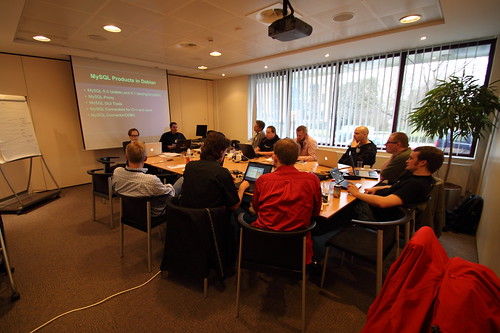
When I saw Shlomi's post on why not to use apt-get or yum for MySQL, I thought immediately that his conclusions are quite reasonable. What you get from the Linux distributions is not the same thing that you find in the official MySQL downloads page. Now, whether you value more the completeness of the server or the ease of administration through the distribution installation tools, it's up to you and your business goals. We at the MySQL team have organized a meeting with the Linux distributions with the intent of finding out which differences and problems we may have with each other, and to solve them by improving communication. What follows is a summary of what happened in Brussels during the meeting.

Linux Distro MySQL packagers meeting

Summary


Linux distributions ship MySQL products (Server, GUI Tools, connectors, Cluster) with different criteria and different grade of maturity, according to their own goals.
Due to lack of communication and policy conflicts, the distros almost always ship outdated versions of MySQL server and MySQL Cluster. The lag between the shipped version and the latest product shipped by MySQL ranges from a few months to several years.
By mutual understanding, the distros will now try to ship recent versions of Cluster (7.x) in a separate package.

Participants


(see some more pictures from the meeting).

Giuseppe Maxia, MySQL Community Team Lead, Italy
Tomas Ulin, MySQL VP Engineering, Sweden
Harmut Holzgraefe, MySQL Support, Germany
Lars Heill, MySQL Build, Norway (Trondheim)
Joro Kodinov, MySQL Engineering / 5.1, Bulgaria
Oden Eriksson, Mandriva, Sweden
Mathias Gug, Canonical/Ubuntu, Canada
Robin H. Johnson, Gentoo Linux, Canada
Michal Hrušecký, Novell/openSUSE, Czech Republic
Geir Høydalsvik, MySQL QA, Norway (Trondheim)
Norbert Tretkowski, Debian Linux, Germany
Kaj Arnö, MySQL VP Community Relations, Germany

Main issues from the distributions:

d1. Security bugs are invisible until MySQL releases a fix. They would like to get visibility of the bug report, to become aware of the problem and eventually help fixing it. We are looking into this matter.

d2. Due to lack of communication, the distros were running the test suite with different parameters. Gentoo packages the server with UTF-8 as default character set, and this causes several tests to fail. Our QA team is looking into it.

d3. Bug databases are different for each distros. They usually solve problems on their own, or send the issue upstream (to the MySQL team at Sun, now Oracle) when it is a legitimate bug.

d4. Debian and Ubuntu don't apply all our patches to the server that they ship. They only apply security bugs and fix for bugs that don't introduce new or changed functionality. This is, IMO, mostly a matter of terminology, since the new functionality is only added as a side effect of fixing a bug. For example, when we fixed Bug#49222: Mark RAND() as unsafe, there is a change in functionality. Now RAND() is logged in ROW format, as it should have been in the first place. It is indeed a new functionality, but as a user I would rather have this bug fix in my server, than adhering to the strict rules of no changes.

d5. GUI tools are still shipped as current although they aren't actively supported, with patches provided by OpenSuse.

d6. While we provide specifications for .rpm packages, we don't do that for .deb ones. Debian/Ubuntu ask if we can include them in our code.

Main issues from the MySQL team:

m1. Cluster packages are outdated. Mainly for miscommunication, some distros are building the cluster binaries with the server package, thus shipping quite old and non-functional cluster binaries. After an explanation on the Cluster roadmap, the distros agreed to ship 7.x binaries from now on. We agreed that we will modify the build scripts in the server to avoid compiling the cluster binaries unintentionally.

m2. MySQL Workbench is not included in the stable releases. There are two reasons: it is not GA yet, and its source includes non-GPL code (for Windows and Mac) that needs to be removed before being used by Debian and derivatives. Moreover, Debian communicates that some DBAs don't like the idea of deploying a design tool for daily database administration.

Conclusions


All in all, I feel that this meeting was a success. We achieved a lot during the proceedings, solving problems ranging from simple communication mismatches to neglected bugs. And meeting in person with the ones who deal actively with MySQL in the Linux distros is quite a rewarding experience.
From a technical standpoint, I hadn't realized that every distribution is shipping a different server. That is quite a challenge for the common users who may need to choose between versions in several sites. However, this meeting has also shown me that all the participants have very high quality standards, and the difference in shipped versions is mostly due to the peculiarity of many shipping calendars.
Thanks to all the participants. We fixed many issues, and we had lots of fun at the same time. We should do that more often!

Friday, February 05, 2010

MySQL Developers Room at FOSDEM 2010


I'm going to FOSDEM, the Free and Open Source Software Developers' European Meeting

I am in Brussels, waiting to attend FOSDEM 2010, one of the biggest open source gatherings in Europe, taking place this weekend in Brussels.
On Sunday, there is a Developers Room for MySQL and Friends, with 14 talks from open source professionals coming from Europe and North America.

The novelty of this round of talks is that thy will be 20 minutes long, rather than 1 hour. This will force all presenters to be more cautious about their timing, and to concentrate their talks on the essential. Even the experienced ones, who have given the same talk several times, will have to make an effort to come to the point in less time. The idea cam from reading Scott Berkun's book, Confessions of a public speaker, where he argues successfully on the usefulness of short lectures. It's going to be interesting!
The hosts of the Developers Room are Ronald Bradford and myself, but nothing of this could have happened without the excellent preparatory work done by Lenz Grimmer, who can't be here to enjoy the results of his organization, because he must stay home, waiting for his second child to come any moment. Thanks, Lenz, and good luck!
In addition to the DevRoom, I will have a lightning talk on an unusual (for my public speaking record) topic: Blaming the unknown: a positive approach to technology. If you happen to be around, come see it. It's fun, I promise you, and also informative, or so I hope.

Wednesday, January 20, 2010

Multi dimensional cubes in MySQL through Gearman


MySQL cubes with Gearman

I gave two presentations about Gearman at the Linux.conf.au. As part of the preparation for these talks, I created several sample applications. One of them, about remote replication administration, I will cover in a separate post. The most amazing one, which I cover here, is a quick and painless solution for multiple level crosstabs in MySQL.

Some background is needed. Crosstabs (also called data cubes or pivot tables, have been one of my favorite hacks for long time. In 2001 I wrote an article about a simple way of doing single level crosstabs. A few years later, I developed a Perl module that generates multiple levels of data cubes in most any database systems. Since then, I have received countless requests to convert this module to PHP, Python, Java, and I have always declined, for lack of time or abilities.
In the coming years, I tackled the same problem using MySQL Proxy and some SQL hacks. Both attempts were not completely satisfactory. The options offered by the Perl module are simply too hard to replicate to any other system.
When I started using Gearman, I realized that I could use the original Perl module through a Gearman worker, without converting to any other language. The idea is to write a simple worker that accepts some parameters and runs the Perl module to return a crosstab query to the client. The query being the most complicated thing to generate, the architecture could look like the image below.

To take the idea one step further, I used the Gearman UDF for MySQL, which makes the crosstab function available at the SQL level, thus being transparent no matter which programming language the client uses, and without need of using the Gearman API.

In this scenario, what you need to do is just querying the worker (through the UDF), with a simple string of parameters.

mysql> set @q = (select gman_do('crosstab',
'from=all_personnel;op=sum salary;rows=country;cols=gender'));

mysql> prepare q from @q; execute q;
+---------+-------+-------+-------+
| country | m | f | total |
+---------+-------+-------+-------+
| Germany | 16000 | 11000 | 27000 |
| Italy | 6000 | 6000 | 12000 |
| UK | 10500 | NULL | 10500 |
| zzzz | 32500 | 17000 | 49500 |
+---------+-------+-------+-------+

Here's a taste of a 2 levels cube:
set @q = (select gman_do('crosstab','from=all_personnel;op=count salary;rows=country,location;cols=department,gender'));
Query OK, 0 rows affected (0.03 sec)

prepare q from @q; execute q;Query OK, 0 rows affected (0.00 sec)
Statement prepared

+---------+----------+--------+--------+------+---------+---------+-------+-------+-------+-----+-------+
| country | location | pers#m | pers#f | pers | sales#m | sales#f | sales | dev#m | dev#f | dev | total |
+---------+----------+--------+--------+------+---------+---------+-------+-------+-------+-----+-------+
| Germany | Berlin | 0 | 1 | 1 | 0 | 0 | 0 | 1 | 0 | 1 | 2 |
| Germany | Bonn | 0 | 0 | 0 | 1 | 0 | 1 | 0 | 0 | 0 | 1 |
| Germany | Munich | 1 | 0 | 1 | 0 | 1 | 1 | 0 | 0 | 0 | 2 |
| Germany | zzzz | 1 | 1 | 2 | 1 | 1 | 2 | 1 | 0 | 1 | 5 |
| Italy | Rome | 1 | 0 | 1 | 0 | 0 | 0 | 0 | 1 | 1 | 2 |
| Italy | zzzz | 1 | 0 | 1 | 0 | 0 | 0 | 0 | 1 | 1 | 2 |
| UK | London | 1 | 0 | 1 | 1 | 0 | 1 | 0 | 0 | 0 | 2 |
| UK | zzzz | 1 | 0 | 1 | 1 | 0 | 1 | 0 | 0 | 0 | 2 |
| zzzz | zzzz | 3 | 1 | 4 | 2 | 1 | 3 | 1 | 1 | 2 | 9 |
+---------+----------+--------+--------+------+---------+---------+-------+-------+-------+-----+-------+

It would be nice to actually format the result in a more human readable way, like this one, but it will require some more work.

+---------+----------+--------------+-----------------+-------------+-------+
| country | location | pers |sales | dev | total |
| | +---+---+------+----+----+-------+---+---+-----+-------+
| | | m | f | pers | m | f | sales | m | f | dev | total |
+---------+----------+---+---+------+----+----+-------+---+---+-----+-------+
| Germany | Berlin | 0 | 1 | 1 | 0 | 0 | 0 | 1 | 0 | 1 | 2 |
| Germany | Bonn | 0 | 0 | 0 | 1 | 0 | 1 | 0 | 0 | 0 | 1 |
| Germany | Munich | 1 | 0 | 1 | 0 | 1 | 1 | 0 | 0 | 0 | 2 |
| Germany | total | 1 | 1 | 2 | 1 | 1 | 2 | 1 | 0 | 1 | 5 |
+---------+----------+---+---+------+----+----+-------+---+---+-----+-------+
| Italy | Rome | 1 | 0 | 1 | 0 | 0 | 0 | 0 | 1 | 1 | 2 |
| Italy | total | 1 | 0 | 1 | 0 | 0 | 0 | 0 | 1 | 1 | 2 |
+---------+----------+---+---+------+----+----+-------+---+---+-----+-------+
| UK | London | 1 | 0 | 1 | 1 | 0 | 1 | 0 | 0 | 0 | 2 |
| UK | total | 1 | 0 | 1 | 1 | 0 | 1 | 0 | 0 | 0 | 2 |
+---------+----------+---+---+------+----+----+-------+---+---+-----+-------+
| total | total | 3 | 1 | 4 | 2 | 1 | 3 | 1 | 1 | 2 | 9 |
+---------+----------+---+---+------+----+----+-------+---+---+-----+-------+

To make the above examples work, what's missing is the worker. You can try the sample crosstab worker from MySQL Forge.

Wednesday, January 13, 2010

MySQL user group meeting in Sydney, January 15th


Sydney MySQL User Group

On January 15th I will be in Sydney, Au, on my way to Wellington, New Zealand.
I will be at the MySQL User Group, hosted at the Sydney Mechanics’ School of Arts at 5.30pm.
I will talk about testing complex database systems with MySQL Sandbox.
The meeting is open to all. If you want to attend, please register at the Sydney MySQL User Group meetup page.

Monday, January 11, 2010

MySQL user group meeting in Dubai, January 13th


Dubai MySQL meetup

On January 13th I will be in Dubai, UAE, on my way to Wellington, New Zealand.
I will be at the MySQL User Group, hosted at Sun Microsystems offices at 6pm.
I will talk about boosting performance with MySQL 5.1 partitions, covering the recent 5.5. additions.
The meeting is open to all. If you want to attend, please register at the meetup page.

Tuesday, January 05, 2010

Speaking, speaking, speaking: Dubai-Sydney-Wellington


(*)

From January 12th to 27th I will be traveling to the Southern Hemisphere and speaking at two user groups and two conferences.
The schedule (see below) is almost scary. I will be talking about Partitioning (Dubai and Wellington), MySQL Sandbox (Sydney and Wellington), Gearman (Wellington), and some general topics now and then.

The complete schedule and location follows:

(*) I know. The world map is upside down. That is how you would see it if people in the Southern Hemisphere had started drawing maps before the ones in the North.

Tuesday, December 29, 2009

Filtering mysqldump output


MySQLdump filter

Several people have suggested a more flexible approach at mysqldump output in matter of user privileges.
When you dump the data structure for views, triggers, and stored routines, you also dump the permissions related to such objects, with the DEFINER clause.
It would be nice to have such DEFINER clauses removed, or even replaced with the appropriate users in the new database.

The mysqldump filter was created with this need in mind. It allows you to remove all DEFINER clauses and eventually replacing them with a better one.
For example:

mysqldump --no-data sakila | dump_filter --delete > sakila_simple.sql
mysqldump --no-data sakila | dump_filter --replace='newuser@`10.%`' > sakila_secure.sql

The first example removes all references to DEFINER, while the second one replaces every definer with a new user name.

Update Since MySQL Forge is not available anymore, here's the code:


#!/usr/bin/perl
use strict;
use warnings;
use Getopt::Long qw(:config no_ignore_case );

my $replace = undef;
my $delete  = undef;
my $help    = 0;

GetOptions (
   'replace|r=s' => \$replace,
   'delete|d'    => \$delete,
   'help|h'      => \$help,
) or help('unrecognized options');

help() if $help;

if ($delete and $replace) {
    help( 'you must choose EITHER "delete" OR "replace". Not both');
}

$delete = 1 unless $replace;

while (my $line = ) {
    if ($delete) {
        $line =~ s{(/\*!\d+ )\s*definer\s*=\s*\S+}{$1}i;
    }
    elsif ($replace) {
        $line =~ s{(/\*!\d+\s+definer\s*=\s*)(\S+)}{$1 $replace}i;
    } 
    print $line;
}

sub help {
    my ($msg) = @_;
    if ($msg) {
        print "*** $msg\n";
    }
    print "dump_filter - mysqldump filter \n",
          "(C) Giuseppe Maxia, 2009\n",
          "removes/changes DEFINER clauses from MySQL dumps\n",
          "USAGE: dump_filter [options]\n",
          "    -d|--delete    removes the DEFINER clauses\n",
          "    -r|--replace=s replaces every DEFINER clause with the \n",
          "                   new value provided\n",
          "    -h|--help      This text\n";
    exit(1);
}


__END__
notes: MySQLdump filter.
Removes or replaces the DEFINER clauses from a dump.
It is necessary when you want to migrate a database to a new server with different users.

Thursday, December 24, 2009

Holiday gift - A deep look at MySQL 5.5 partitioning enhancements


A deep look at MySQL 5.5 partitioning enhancements

Half a day into my vacation, I managed to finish an article on a topic that has been intriguing me for a while.
Since several colleagues were baffled by the semantics of the new enhancements of MySQL 5.5 partitions, after talking at length with the creator and the author of the manual pages, I produced this article: A deep look at MySQL 5.5 partitioning enhancements.
Happy holidays!

UPDATE This matter was more tricky than it appeared at first sight. As Bug#49861 shows, several MySQL engineers were initially fooled by the multiple column partitions. Also I wrote something wrong in the article, and I updated the text to explain more accurately the behavior of the partitioning engine.

Sunday, December 20, 2009

MySQL Conference 2010 - The call for participation is open


MySQL Conference 2010

The MySQL Conference 2010, with Sun Microsystems as founding sponsor, has opened its Call for participation.
There is already an impressive lineup of tutorials, and I don't say that only because I am on that list. You will find the usual suspects (Replication, Cluster, Certification) and several new ones: Partitioning (covering 5.5), Drizzle replication plugins and core development, Dual master setup, Scaling Applications, Diagnosing and fixing performance, Inspecting variables, command line magic.
The names next to the above topics are all well known: Sheeri K. Cabral, Brian Aker, Jay Pipes, Toru Maesaka, Baron Schwartz, Andrew Hutchings, Andrew Morgan , Geert Vanderkelen, Arjen Lenz, Morgan Tocker, Kai Voigt, Alan Kasindorf, Padraig O'Sullivan, Mats Kindahl, Lars Thalmann, and yours truly.
If you want to join the ranks of these already confirmed folks, it's now time to gather all your skills and make a proposal for a talk.
The Call for Participation opens today, and it's open till the end of January. Not much time, but not a bad deal either. You have certainly enough time to pull an excellent proposal. If you don't remember the rules, you can read again what I wrote about the past conference. The review committee is different, but the current one cares about quality as much as the previous ones.
And consider how much better is it this year for innovative speakers: due to the delay in the conference announcement (on the reasons of which I am not going to speculate), you are in a unique position, since you can propose talks based on technology that has been released in the past two months. There is a whole lot of talks to be created around MySQL 5.5 and other fresh releases.
Don't be lazy. Start writing your proposal now, and you may be in the conference schedule by February!

Tuesday, December 15, 2009

Getting started with MySQL 5.5


MySQL 5.5

Some time go, we announced a new release model for MySQL. As all new things, it had some initial hiccups (with MySQL 5.4 we were still getting acquainted with the new model), but now it seems to be in full swing.
By the time you read these lines, MySQL 5.5 will be available. If the mirrors aren't seeded yet, the impatient can compile and use the new version from the launchpad source tree..

Overview

What's this new release anyway? I'll leave it to Kaj's blog to give you the full description. Suffice it to say that this release is the second milestone of the current installment. It is of beta quality, and it will mature to RC quality. There will be yet another milestone before we release a GA in mid 2010.
One thing that this milestone shows is that there are no dead weights. If a feature doesn't make the deadline, i.e. it doesn't reach beta quality by the scheduled date, it will be dropped, and eventually rescued at the next milestone.
With the introduction of the milestone model, we have also increased our internal QA, especially thanks to the Random Query Generator, which finds bugs in early stages of the code faster than any other method. (1)

Built-in InnoDB plugin

The InnoDB plugin 1.0.5 is included in the distribution, and, unlike MySQL 5.1, it's built-in. There is no need to load and register the plugin. The performance enhancements developed for MySQL 5.4 are now available together with the other enhancements available with the InnoDB plugin. This was already available in the previous milestone, but it's worth mentioning it now, because not many people are aware of that.

Semi-synchronous replication

Of all the new features, this one is probably the most relevant. It is based on a patch made by Google to the InnoDB engine, and adapted by MySQL developers to make it engine-independent.
In short, it's a safety device that establishes some internal communication between master and slaves, and makes sure that at least one slave has received the changes being committed. That is, before committing, the master waits until at least one slave has acknowledged that it has received the portion of binary log necessary to reproduce the transaction.
UPDATE As Harrison Fisk rightly notes, there is a mistake in my description. The acknowledgment of the transaction being sent to the slave only happens after the master's commit to the binary log.
Some caveats apply:
  • It's called semi-synchronous replication, because it doesn't necessarily apply to all the slaves. Although you can manually check if the replication has worked for all the slaves, it's enough for the master to make sure that at least one slave has got the goods.
  • Received by a slave doesn't mean "executed". The slave acknowledges when it has got the binary log, even if the SQL thread is busy or stopped.
  • If there is no slave that can acknowledge receipt (e.g. slaves are all down or stopped), then the master reverts to the normal asynchronous operation.

To use this feature, you need to install two plugins: one for the master and one for each slave. No need to compile anything, though. They are provided with the binaries. All you need to do is load the appropriate plugin for each server.
master >  INSTALL PLUGIN rpl_semi_sync_master SONAME 'libsemisync_master.so';

slave1 > INSTALL PLUGIN rpl_semi_sync_slave SONAME 'libsemisync_slave.so';

Additionally, there are a few variables that you must set, either in the options file or online.
master > SET GLOBAL rpl_semi_sync_master_enabled=1;
slave1 > SET GLOBAL rpl_semi_sync_slave_enabled=1;

Now that the system is ready, let's see how to use it.
Before doing anything, we ask for the value of two important status variables:
SHOW STATUS LIKE 'Rpl_semi_sync%tx';
+-----------------------------+-------+
| Variable_name | Value |
+-----------------------------+-------+
| Rpl_semi_sync_master_no_tx | 0 |
| Rpl_semi_sync_master_yes_tx | 0 |
+-----------------------------+-------+

The first one is the number of failed synchronized transactions, the second one is the number of successful ones. Since nothing has happened so far, they are both zero.
create table t1 (i int not null primary key) engine=innodb;
Query OK, 0 rows affected (0.13 sec)

SHOW STATUS LIKE 'Rpl_semi_sync%tx';
+-----------------------------+-------+
| Variable_name | Value |
+-----------------------------+-------+
| Rpl_semi_sync_master_no_tx | 0 |
| Rpl_semi_sync_master_yes_tx | 1 |
+-----------------------------+-------+
The first operation (a table creation) was successfully transferred to a slave. Let's do one more.
set autocommit=0;
Query OK, 0 rows affected (0.00 sec)

insert into t1 values (1);
Query OK, 1 row affected (0.00 sec)

COMMIT;
Query OK, 0 rows affected (0.00 sec)

SHOW STATUS LIKE 'Rpl_semi_sync%tx';
+-----------------------------+-------+
| Variable_name | Value |
+-----------------------------+-------+
| Rpl_semi_sync_master_no_tx | 0 |
| Rpl_semi_sync_master_yes_tx | 2 |
+-----------------------------+-------+
Also this one was successful.
Now, let's try something sneaky. On each slave, we execute "STOP SLAVE SQL_THREAD". Normal replication would not work, but semi-synchronous replication will go on.

insert into t1 values (2);
Query OK, 1 row affected (0.01 sec)

SHOW STATUS LIKE 'Rpl_semi_sync%tx';
+-----------------------------+-------+
| Variable_name | Value |
+-----------------------------+-------+
| Rpl_semi_sync_master_no_tx | 0 |
| Rpl_semi_sync_master_yes_tx | 3 |
+-----------------------------+-------+
2 rows in set (0.00 sec)

The semi-synch replication has worked. However, if we query both master and slaves, only the master has the new record. The slaves have it only in their relay logs, which you can easily ascertain with mysqlbinlog.

Enhanced partitioning syntax

About one year ago, I briefly announced that this feature was in the making. With some interface improvement, it is now part of the regular partitioning. It's an extension of partitioning BY RANGE. As you know, you can only partition on one column value, and you can only partition on INTEGER columns. Both these restrictions were lifted in 5.5, with a syntax change that makes the code more readable and the overall feature more usable.
You can now partition by date, datetime, varchar, and char columns, not just integers, and you can use more than one column in your list. The most immediate usage of this extension is the ability of using dates without resorting to functions that convert the dates into integers. For example:
CREATE TABLE t2 
(dt date,a int, b int, c int)
PARTITION BY RANGE COLUMNS (dt)
(
PARTITION p0 VALUES LESS THAN ('2007-01-01'),
PARTITION p1 VALUES LESS THAN ('2008-01-01'),
PARTITION p2 VALUES LESS THAN ('2009-01-01'),
PARTITION p3 VALUES LESS THAN (MAXVALUE)
);
The COLUMNS keyword does the trick. The manual has more examples.

The partition helper has been updated to handle this new feature and generate partitions accordingly.

SIGNAL and RESIGNAL


If you have used stored routines extensively, you will certainly have asked yourself "why isn't there any way of raising an exception?" In the SQL standard, exception handling is implemented using the SIGNAL and RESIGNAL keywords, which were notably missing in MySQL 5.0 and 5.1 stored routines.
There have been many clever hacks by several community members to emulate the missing SIGNAL, but none were quite satisfactory. After long waiting here we have SIGNAl and RESIGNAL, which make stored routines programming much more robust and easier to debug. An authoritative example on how to use the new syntax is available in Roland Bouman's blog.

There is more. For the complete list of features, have a look at the official manual.
Happy hacking!

UPDATE Added more partitions to the example, as suggested by Jon.

(1) For the more technologically savvy, here's how Philip Stoev, one of my distinguished QA colleagues, describes the enhancements:
Historically, most of the MySQL tests have been manually created, however a modern database is so complex that it is impossible to test manually even a tiny percentage of the available functionality. Therefore for Betony [codename for MySQL 5.5], and the upcoming Celosia [5.6], the majority of our testing effort was concentrated around stochastic testing, using random data and millions of random queries to validate the behavior of the server across a wide range of scenarios and workloads.
For each new feature, and some existing ones, we automatically generated tests that attempt to cover all relevant SQL constructs, including the interaction between the feature being tested and existing code within the server. For features that have concurrency implications, we ran the random queries as a stress test or along with concurrent DDL statements. For areas such as the partitioning, we used the random queries to functionally validate the new code, by comparing the result from each query to a reference source, such as a previous version of the server.