 |  |
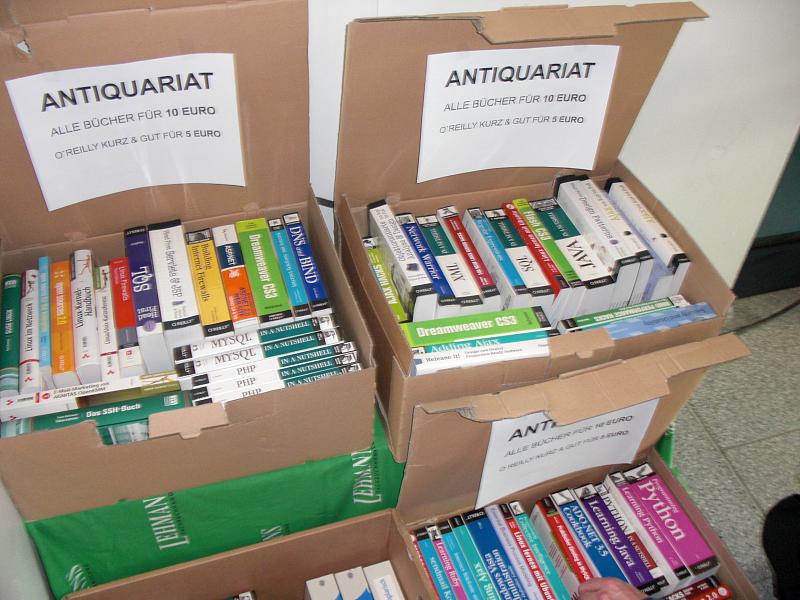
Thanks to all who attended my talks at FrOSCon 2008. It was a pleasurable experience, as it has always been in the past.
The slides of my two sessions are published in the MySQL Presentation Repository

| | |

perl -pe 's{(\d\d)/{\d\d}/{\d\d\d\d}}{$3-$2-$1}g'

 | Every year, MySQL engineers gather together for the developers meeting. It's the time of the highest productivity and fun at the same time. It starts usually by performing an old play, Guess who I am, featuring 100 employees who know each other by name but not by face. At every new entrance, a flurry of introductions is acknowledged and promptly forgotten, leaving the unfamiliar faces deprived of the familiar names. So a few minutes later the same people run around each other again, staring nonchalantly at the name tags, trying to avoid a gaffe. Despite the fierce fight for a name, nobody gets hurt, and in the end the leading actors and support roles go back to the script of exchanging geeky thoughts in person, as confidently as if they were doing that through the IRC. During these meetings, the following glossary was developed. Its origins lost in the fumes of beer. This blog post is a cherry picking collection from the daily newsletter (Heidelberg NachtRichten) distributed during the latest developers meeting. |

$ tar -xjf $HOME/Downloads/employees_db-full-1.0.4.tar.bz2
$ cd employees_db/
$ vim employees.sql
   set storage_engine = InnoDB;
-- set storage_engine = MyISAM;
-- set storage_engine = Falcon;
-- set storage_engine = PBXT;
-- set storage_engine = Maria;
$ mysql -t < employees.sql
+-----------------------------+
| INFO                        |
+-----------------------------+
| CREATING DATABASE STRUCTURE |
+-----------------------------+
+------------------------+
| INFO                   |
+------------------------+
| storage engine: MyISAM |
+------------------------+
+---------------------+
| INFO                |
+---------------------+
| LOADING departments |
+---------------------+
+-------------------+
| INFO              |
+-------------------+
| LOADING employees |
+-------------------+
+------------------+
| INFO             |
+------------------+
| LOADING dept_emp |
+------------------+
+----------------------+
| INFO                 |
+----------------------+
| LOADING dept_manager |
+----------------------+
+----------------+
| INFO           |
+----------------+
| LOADING titles |
+----------------+
+------------------+
| INFO             |
+------------------+
| LOADING salaries |
+------------------+
$ time mysql -t < test_employees_sha.sql
+----------------------+
| INFO                 |
+----------------------+
| TESTING INSTALLATION |
+----------------------+
+--------------+------------------+------------------------------------------+
| table_name   | expected_records | expected_crc                             |
+--------------+------------------+------------------------------------------+
| employees    |           300024 | 4d4aa689914d8fd41db7e45c2168e7dcb9697359 |
| departments  |                9 | 4b315afa0e35ca6649df897b958345bcb3d2b764 |
| dept_manager |               24 | 9687a7d6f93ca8847388a42a6d8d93982a841c6c |
| dept_emp     |           331603 | f16f6ce609d032d6b1b34748421e9195c5083da8 |
| titles       |           443308 | d12d5f746b88f07e69b9e36675b6067abb01b60e |
| salaries     |          2844047 | b5a1785c27d75e33a4173aaa22ccf41ebd7d4a9f |
+--------------+------------------+------------------------------------------+
+--------------+------------------+------------------------------------------+
| table_name   | found_records    | found_crc                                |
+--------------+------------------+------------------------------------------+
| employees    |           300024 | 4d4aa689914d8fd41db7e45c2168e7dcb9697359 |
| departments  |                9 | 4b315afa0e35ca6649df897b958345bcb3d2b764 |
| dept_manager |               24 | 9687a7d6f93ca8847388a42a6d8d93982a841c6c |
| dept_emp     |           331603 | f16f6ce609d032d6b1b34748421e9195c5083da8 |
| titles       |           443308 | d12d5f746b88f07e69b9e36675b6067abb01b60e |
| salaries     |          2844047 | b5a1785c27d75e33a4173aaa22ccf41ebd7d4a9f |
+--------------+------------------+------------------------------------------+
+--------------+---------------+-----------+
| table_name   | records_match | crc_match |
+--------------+---------------+-----------+
| employees    | OK            | ok        |
| departments  | OK            | ok        |
| dept_manager | OK            | ok        |
| dept_emp     | OK            | ok        |
| titles       | OK            | ok        |
| salaries     | OK            | ok        |
+--------------+---------------+-----------+

real 0m37.067s
user 0m0.007s
sys 0m0.009s

$ time mysql -t < test_employees_md5.sql
+----------------------+
| INFO                 |
+----------------------+
| TESTING INSTALLATION |
+----------------------+
+--------------+------------------+----------------------------------+
| table_name   | expected_records | expected_crc                     |
+--------------+------------------+----------------------------------+
| employees    |           300024 | 4ec56ab5ba37218d187cf6ab09ce1aa1 |
| departments  |                9 | d1af5e170d2d1591d776d5638d71fc5f |
| dept_manager |               24 | 8720e2f0853ac9096b689c14664f847e |
| dept_emp     |           331603 | c2c4fc7f0506e50959a6c67ad55cac31 |
| titles       |           443308 | bfa016c472df68e70a03facafa1bc0a8 |
| salaries     |          2844047 | fd220654e95aea1b169624ffe3fca934 |
+--------------+------------------+----------------------------------+
+--------------+------------------+----------------------------------+
| table_name   | found_records    | found_crc                        |
+--------------+------------------+----------------------------------+
| employees    |           300024 | 4ec56ab5ba37218d187cf6ab09ce1aa1 |
| departments  |                9 | d1af5e170d2d1591d776d5638d71fc5f |
| dept_manager |               24 | 8720e2f0853ac9096b689c14664f847e |
| dept_emp     |           331603 | c2c4fc7f0506e50959a6c67ad55cac31 |
| titles       |           443308 | bfa016c472df68e70a03facafa1bc0a8 |
| salaries     |          2844047 | fd220654e95aea1b169624ffe3fca934 |
+--------------+------------------+----------------------------------+
+--------------+---------------+-----------+
| table_name   | records_match | crc_match |
+--------------+---------------+-----------+
| employees    | OK            | ok        |
| departments  | OK            | ok        |
| dept_manager | OK            | ok        |
| dept_emp     | OK            | ok        |
| titles       | OK            | ok        |
| salaries     | OK            | ok        |
+--------------+---------------+-----------+

real 0m33.453s
user 0m0.007s
sys 0m0.009s









./make_replication_sandbox --topology=circular --how_many_nodes=3 \
/path/to/mysql-5.0.51a-YOUR_OS.tar.gz

cd $HOME/sandboxes/rcsandbox_5.0.51
./n1 -e "create table test.t1(i int)"
./n3 -e "insert into test.t1 values (@@server_id)"
./use_all "select * from test.t1"
# server: 1:
i
101
# server: 2:
i
102
# server: 3:
i
103
 $ ./node3/my sqlbinlog node3/data/mysql-bin.000001 |tail
#080720  8:57:59 server id 103  end_log_pos 1958    Query   thread_id=8 exec_time=0 error_code=0
SET TIMESTAMP=1216569479/*!*/;
SET @@session.auto_increment_increment=3, @@session.auto_increment_offset=3/*!*/;
insert into test.t1 values (@@server_id)/*!*/;
./make_replication_sandbox --topology=circular --how_many_nodes=3 \
/path/to/mysql-5.1.26-rc-YOUR_OS.tar.gz

cd $HOME/sandboxes/rcsandbox_5.0.51
./n1 -e "create table test.t1(i int)"
./n3 -e "insert into test.t1 values (@@server_id)"
./use_all "select * from test.t1"
# server: 1:
i
103
# server: 2:
i
103
# server: 3:
i
103
 $ ./node3/my sqlbinlog node3/data/mysql-bin.000001 |tail
#080720  9:05:00 server id 103  end_log_pos 3247        Query   thread_id=25    exec_time=0     error_code=0
SET TIMESTAMP=1216569900/*!*/;
SET @@session.auto_increment_increment=3, @@session.auto_increment_offset=3/*!*/;
BEGIN
/*!*/;
# at 3247
# at 3288
#080720  9:05:00 server id 103  end_log_pos 3288        Table_map: `test`.`t1` mapped to number 19
#080720  9:05:00 server id 103  end_log_pos 3322        Write_rows: table id 19 flags: STMT_END_F

BINLOG '
LGKDSBNnAAAAKQAAANgMAAAAABMAAAAAAAAABHRlc3QAAnQxAAEDAAE=
LGKDSBdnAAAAIgAAAPoMAAAQABMAAAAAAAEAAf/+ZwAAAA==
'/*!*/;
# at 3322
#080720  9:05:00 server id 103  end_log_pos 3392        Query   thread_id=25    exec_time=0     error_code=0
SET TIMESTAMP=1216569900/*!*/;
COMMIT
$ ./n1 -e "truncate test.t1"
$ ./n3 -e "set binlog_format='statement';insert into test.t1 values (@@server_id)"
$ ./use_all "select * from test.t1"
# server: 1:
i
101
# server: 2:
i
101
# server: 3:
i
103
$ ./n1 -e "truncate test.t1"
$ ./n3 -e "set binlog_format='row';insert into test.t1 values (@@server_id)"
$ ./use_all "select * from test.t1"
# server: 1:
i
103
# server: 2:
i
103
# server: 3:
i
103
$ ./use_all 'set global binlog_format="row"'
$ ./n3 -e "insert into test.t1 select count(*) from information_schema.columns"
$ ./use_all "show global status like 'opened_tables' "
# server: 1:
Variable_name   Value
Opened_tables   17
# server: 2:
Variable_name   Value
Opened_tables   17
# server: 3:
Variable_name   Value
Opened_tables   41
UPDATE huge_table set some_column = 'some value' where some_other_column = 'X';
Here is a chance for all users to influence the future development of MySQL Proxy. If you care about Proxy, you may want to check the current quickpoll in the Dev Zone, and vote for your favorite features. The developers have a truckload of ideas, of course, but only a finite amount of time. So they can't develop all the features at once. They must start somewhere, and your vote can help them decide which ones should get higher priority. |  |
 | I discussed my findings with Guilhem Bichot, one of the online backup creators, and he remarks: You could also try I am not really looking for a longer restore, but let's give it a try. I restarted the database with the suggested option, and here is what I got: |
backup database employees to 'emp2.bkp';
+-----------+
| backup_id |
+-----------+
| 4         |
+-----------+
1 row in set (3.18 sec)

drop schema employees;
Query OK, 10 rows affected (0.02 sec)

restore from 'emp2.bkp';
+-----------+
| backup_id |
+-----------+
| 5         |
+-----------+
1 row in set (18.33 sec)

| version | backup time | restore time |
|---|---|---|
| standard | 25.58 | 79.11 |
| MyISAM driver | 4.15 | 11.53 |
select * from mysql.online_backup\G
*************************** 1. row ***************************
      backup_id: 1
     process_id: 0
     binlog_pos: 0
    binlog_file: NULL
   backup_state: complete
      operation: backup
      error_num: 0
    num_objects: 8
    total_bytes: 69970045
validity_point_time: 2008-07-07 11:39:04
     start_time: 2008-07-07 11:38:39
      stop_time: 2008-07-07 11:39:04
host_or_server_name: localhost
       username: msandbox
    backup_file: emp.bkp
   user_comment:
        command: backup database employees to 'emp.bkp'
        engines: Default, Snapshot
select * from mysql.online_backup\G
*************************** 1. row ***************************
      backup_id: 1
     process_id: 0
     binlog_pos: 0
    binlog_file: NULL
   backup_state: complete
      operation: backup
      error_num: 0
    num_objects: 8
    total_bytes: 335531054
validity_point_time: 2008-07-07 11:32:04
     start_time: 2008-07-07 11:32:00
      stop_time: 2008-07-07 11:32:04
host_or_server_name: localhost
       username: msandbox
    backup_file: emp.bkp
   user_comment:
        command: backup database employees to 'emp.bkp'
        engines: Snapshot, MyISAM
 | Taking advantage of Launchpad excellent development services, I completed the tasks necessary to release MySQL Sandbox 2.0. So, you may ask, what's new? Quite a lot, actually:
|
 make_sandbox                  creates a single sandbox
make_replication_sandbox      creates a replication sandbox
make_multiple_sandbox         creates sandbox containing many servers
                                of the same version
make_multiple_custom_sandbox  creates a sandbox containing many servers
of different versions./make_replication_sandbox --topology=circular --how_many_nodes=5 VERSION
# or
./make_replication_sandbox --master_master VERSION
./test/test_sandbox.pl --versions=5.1.51,5.1.25
| For some reasons, I have never been able to attend OSCON so far. I have been going to the MySQL Users Conference almost every year in April, and that usually left me without a great desire of crossing the Atlantic again. This year is different. I have crossed the Atlantic already three times, and yet I am about to board a plane once more, heading for the Portland, Oregon. |  |
 |  |


$ bzr init-repo shared
$ cd shared/
$ time bzr branch lp:mysql-server/5.1 51
Branched 2655 revision(s).
real 19m14.110s
user 7m22.883s
sys 1m21.372s
$ du -sh .bzr/ */
498M .bzr/
129M 51/
$ time bzr branch lp:mysql-server/5.0 50
Branched 2634 revision(s).
real 0m42.205s
user 0m28.100s
sys 0m4.757s
$ du -sh .bzr/ */
498M .bzr/
100M 50/
129M 51/
$ time bzr branch lp:mysql-server/6.0 60
Branched 2664 revision(s).
real 4m45.383s
user 1m39.727s
sys 0m20.776s
$ du -sh .bzr/ */
566M .bzr/
100M 50/
129M 51/
146M 60/
$ mkdir ~/install/build
$ ls
50    51    60
$ for R in 50 51 60 ; do echo $R ; cd $R ; bzr export ~/install/build/$R ; cd .. ; done
50
51
60
$ cd ~/install/build
$ for R in 50 51 60 ; do \
  cd $R ; \
  ./BUILD/your_favorite_script && ./scripts/make_binary_distribution ; \
  cd .. ; \
  done
$ export SANDBOX_HOME=$HOME/sandboxes
$ cd ~/install/mysql_sandbox-1.21
./express_install full/path/to/tarball_name.tar.gz
$ ./express_install.pl ~/install/build/50/mysql-5.0.66-darwin9.3.0-i386.tar.gz
unpacking /Users/gmax/install/build/50/mysql-5.0.66-darwin9.3.0-i386.tar.gz
Executing ./install.pl --basedir=/Users/gmax/install/build/50/5.0.66 \
 --sandbox_directory=msb_5_0_66 \
 --install_version=5.0 \
 --sandbox_port=5066 \
 --no_ver_after_name
  The MySQL Sandbox,  version 1.21 09-Jun-2008
  (C) 2006,2007,2008 Giuseppe Maxia, MySQL AB
installing with the following parameters:
home_directory                 = /Users/gmax/sandboxes
sandbox_directory              = msb_5_0_66
sandbox_port                   = 5066
datadir_from                   = script
install_version                = 5.0
basedir                        = /Users/gmax/install/build/50/5.0.66
[...]
loading grants
sandbox server started
installation options saved to current_options.conf.
To repeat this installation with the same options,
use ./install.pl --conf_file=current_options.conf
----------------------------------------
Your sandbox server was installed in /Users/gmax/sandboxes/msb_5_0_66
$ ./express_install.pl ~/install/build/51/mysql-5.1.26-rc-darwin9.3.0-i386.tar.gz
unpacking /Users/gmax/install/build/51/mysql-5.1.26-rc-darwin9.3.0-i386.tar.gz
Executing ./install.pl --basedir=/Users/gmax/install/build/51/5.1.26 \
 --sandbox_directory=msb_5_1_26 \
 --install_version=5.1 \
 --sandbox_port=5126 \
 --no_ver_after_name
  The MySQL Sandbox,  version 1.21 09-Jun-2008
  (C) 2006,2007,2008 Giuseppe Maxia, MySQL AB
installing with the following parameters:
home_directory                 = /Users/gmax/sandboxes
sandbox_directory              = msb_5_1_26
sandbox_port                   = 5126
datadir_from                   = script
install_version                = 5.1
basedir                        = /Users/gmax/install/build/51/5.1.26
my_file                        =
[ ... ]
sandbox server started
installation options saved to current_options.conf.
To repeat this installation with the same options,
use ./install.pl --conf_file=current_options.conf
----------------------------------------
Your sandbox server was installed in /Users/gmax/sandboxes/msb_5_1_26
$ ./express_install.pl ~/install/build/60/mysql-6.0.6-alpha-darwin9.3.0-i386.tar.gz
unpacking /Users/gmax/install/build/60/mysql-6.0.6-alpha-darwin9.3.0-i386.tar.gz
Executing ./install.pl --basedir=/Users/gmax/install/build/60/6.0.6 \
 --sandbox_directory=msb_6_0_6 \
 --install_version=6.0 \
 --sandbox_port=6060 \
 --no_ver_after_name
  The MySQL Sandbox,  version 1.21 09-Jun-2008
  (C) 2006,2007,2008 Giuseppe Maxia, MySQL AB
installing with the following parameters:
home_directory                 = /Users/gmax/sandboxes
sandbox_directory              = msb_6_0_6
sandbox_port                   = 6060
datadir_from                   = script
install_version                = 6.0
basedir                        = /Users/gmax/install/build/60/6.0.6
[ ... ]
sandbox server started
installation options saved to current_options.conf.
To repeat this installation with the same options,
use ./install.pl --conf_file=current_options.conf
----------------------------------------
Your sandbox server was installed in /Users/gmax/sandboxes/msb_6_0_6


